Console Outlier B06 / 1987–1991
Atari XEGS:
the console with two start screens
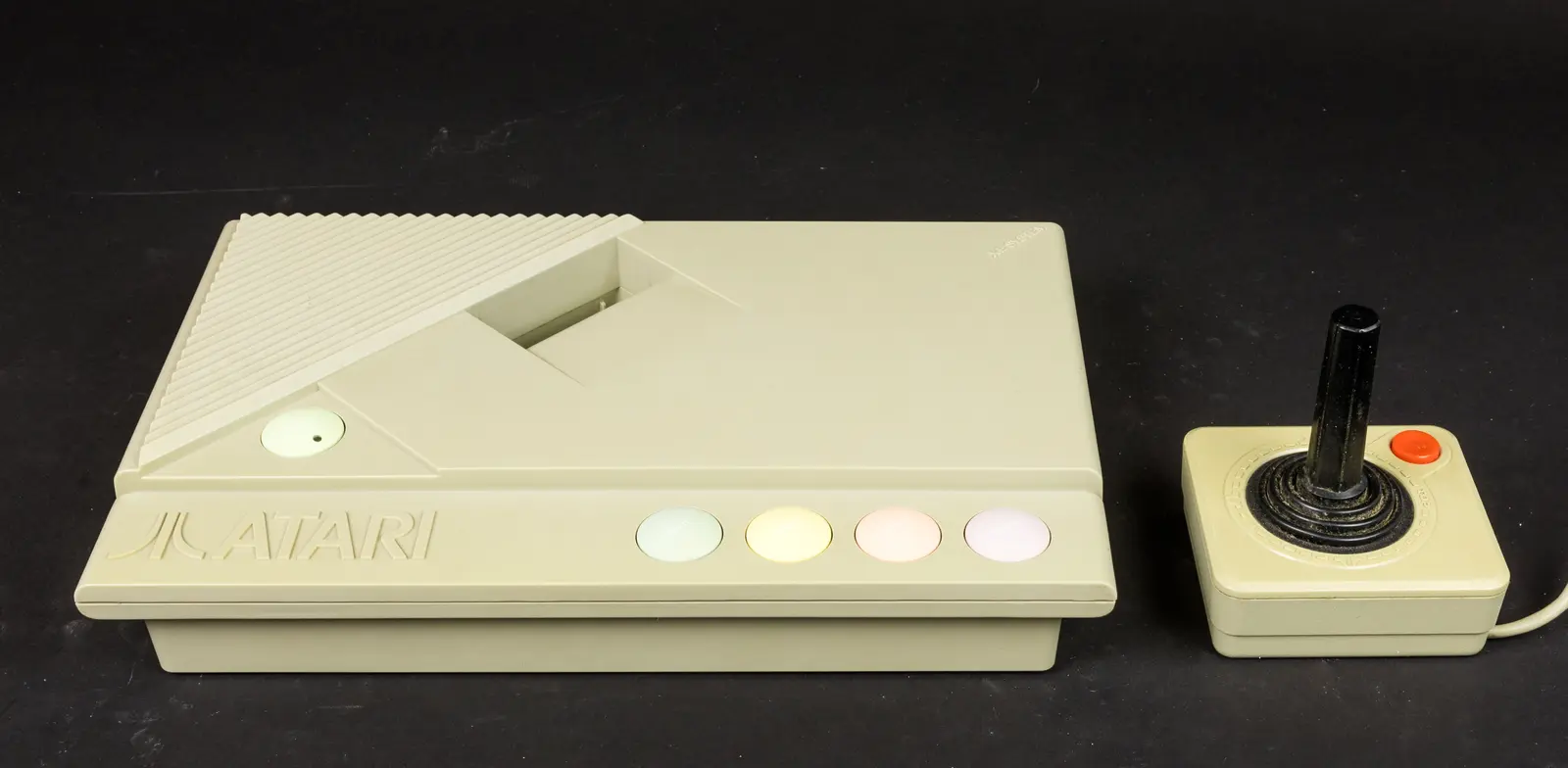
Switch it on without a keyboard and Missile Command appeared. Attach the keyboard and Atari BASIC waited for instructions. One cable did not merely add keys—it changed what the machine believed it was.
01 / The fork at power-on
Before asking the owner what to do, XEGS first asked what was connected
Most machines reveal their identity before the power switch is touched: a console starts a game, a computer presents a prompt. XEGS postponed that decision until boot.
A cartridge overruled both routes. Disk and cassette starts could be selected with the pastel console buttons. This was not a disguise hiding one ‘true’ machine; Atari designed several possible beginnings into the same ROM.
02 / A family tree inside the case
The newest Atari console carried the architecture of a 1979 computer
At its core, XEGS was a redesigned 65XE: 6502C processor, 64 KB RAM and the ANTIC, GTIA and POKEY custom chips that descended from Atari 400 and 800. The lineage brought almost eight years of software knowledge with it.
400 / 800→1983
XL→1985
XE→1987
XEGS
Age was both weakness and asset. The graphics no longer looked new beside NES or Master System, but programmers had already learned how to make ANTIC scroll worlds and how to give POKEY a distinctly metallic voice.
03 / The cable that changed the category
The detachable keyboard was not an accessory to the computer—it was the border around it
The matching keyboard connected at the left side. Once attached, function keys, text entry and Atari BASIC Revision C became ordinary parts of the machine. Remove it and the pastel buttons and joystick took over the public face.
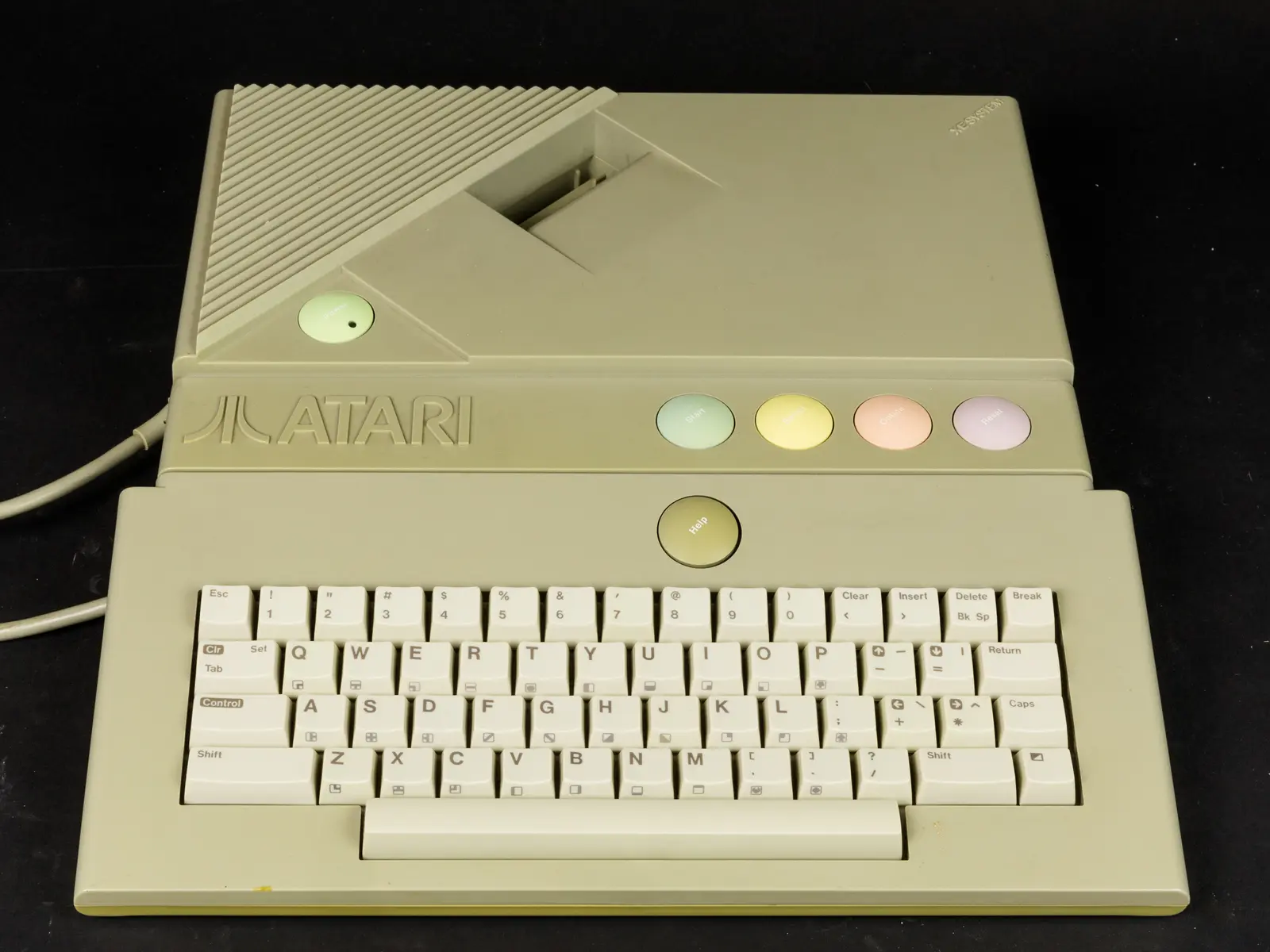
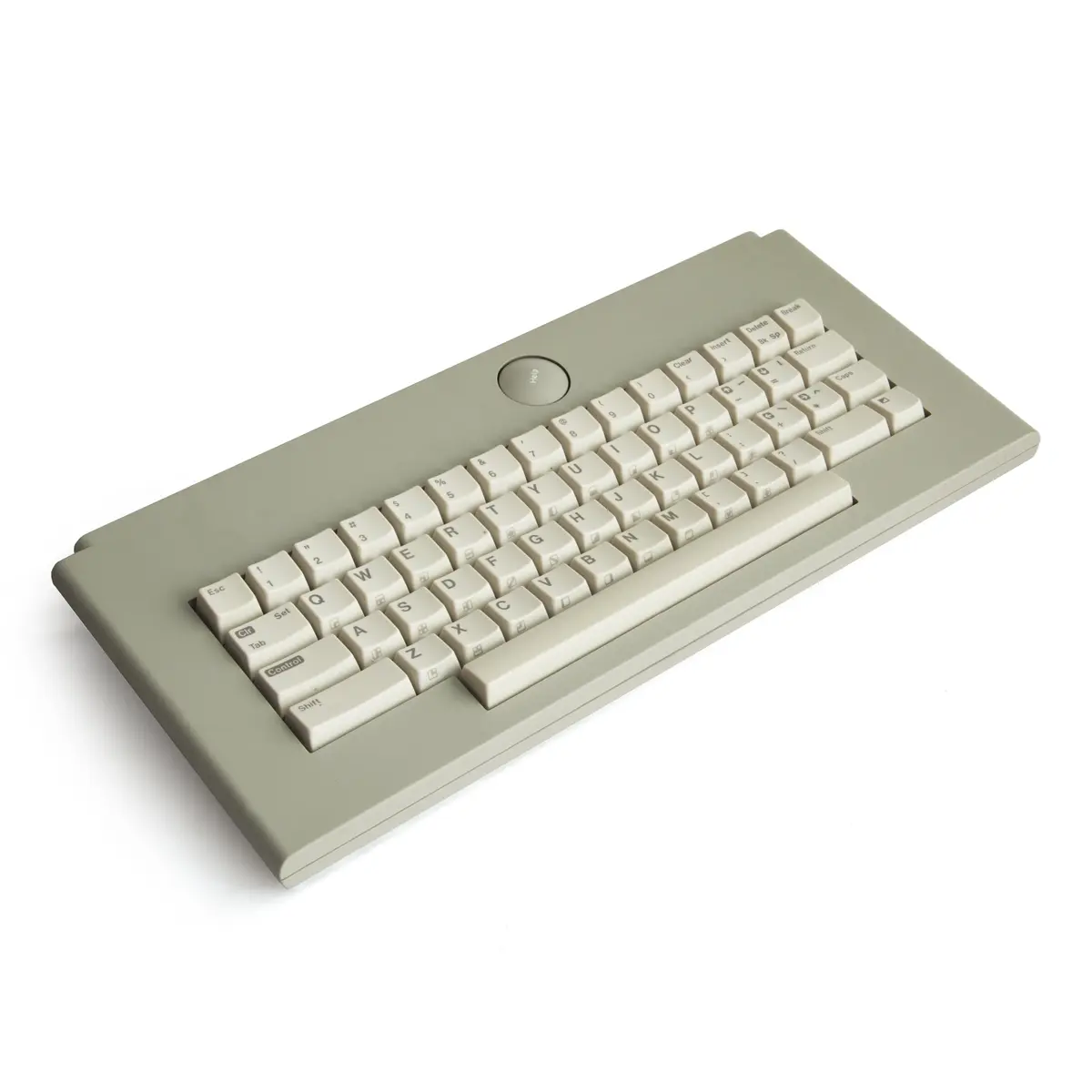
This made the XEGS more honest than many computer-derived consoles. It did not pretend its computer ancestry had vanished; it put that ancestry in a second box and let the buyer decide when to connect it.
04 / A screen built from cooperation
Atari’s custom chips still divided game-making into specialised jobs
ANTIC read display instructions and moved data to the screen. GTIA supplied colour and player-missile graphics. POKEY produced four-channel sound while also handling keyboard, timers and serial communication.
scrolling
moving objects
input and I/O
1.79 MHz
That division had been remarkably forward-looking in 1979. By 1987 its survival was the interesting fact: Atari’s latest-looking 8-bit product was still speaking a visual language invented before the console crash.
05 / The port that kept the world open
SIO meant that “becoming a computer” extended far beyond attaching keys
At the rear, Atari retained its Serial Input/Output connector. Disk drives, program recorders, printers and modems could be daisy-chained, just as on earlier XL and XE computers.
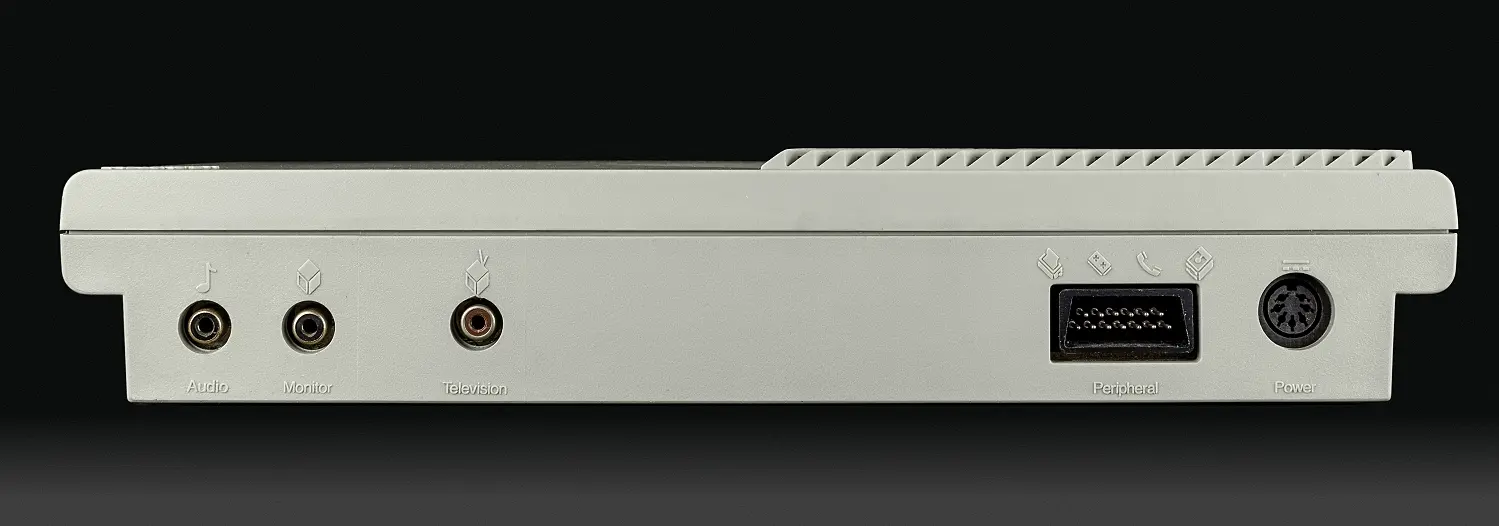
This is the essential contrast with Commodore 64GS. Commodore hid computer connections to narrow the product. Atari preserved them to make expansion part of the promise.
06 / A library before a launch
Compatibility solved the empty-shelf problem and created an age problem
Most XL and XE cartridges, disks, cassettes and peripherals could be used. Atari also reissued older titles in new silver packaging, allowing the XEGS to arrive with far more software than a clean-sheet console.
Yet a back catalogue is not the same as momentum. Games such as Archon, Choplifter! and Rescue on Fractalus! were excellent evidence of Atari’s computer culture, but their new labels could not make them contemporary exclusives.
07 / An arcade classic in permanent memory
Built-in Missile Command made an empty console useful—and made its past impossible to miss
With no cartridge and no keyboard, the machine went directly to Atari’s 8-bit version of Missile Command. It was elegant product design: there was always something to play, even if the owner had unpacked only the basic set.
But the choice also dated the proposition. Nintendo bundled Super Mario Bros. or Duck Hunt as a statement about its platform’s present. Atari embedded one of its greatest memories.
08 / A bundle that demonstrated every identity
The deluxe set was less a box of extras than a staged argument
The joystick demonstrated familiar Atari action. The XG-1 light gun and Bug Hunt answered Nintendo’s living-room marksmanship. The keyboard and Flight Simulator II showed depth a simple console could not offer.
It was a remarkably literal demonstration: arcade, light-gun game and simulation in one purchase. The weakness was the absence of a single experience that could define the machine as clearly as Mario defined NES.
10 / Atari competed with Atari
The XEGS joined a product line already arguing with itself
In 1987 Atari still sold the inexpensive 2600 and the 7800 console, while its ST computers represented a more powerful future. XEGS occupied the space between them with technology related to the 65XE.
For Atari, reusing proven parts limited risk and opened toy-store distribution to its computer software. For a buyer, it complicated the answer to a basic question: which Atari was Atari’s future?
11 / Not half a computer, but two complete invitations
The XEGS did not fail to choose; it deliberately allowed the owner to choose repeatedly
As a console it offered cartridges, joystick play and a built-in game. As a computer it offered BASIC, storage, printing, telecommunications and a mature library. Neither half was fake.
NOW↔MAKE
NEXT
That flexibility is why the XEGS remains more interesting than its modest market impact. Its central idea now feels familiar: a device changes role when a keyboard or dock is attached. Atari built that switch into an 8-bit machine in 1987—and made the change visible every time it started.
12 / Eight-bit Atari’s final shape
A computer lineage crossed the console aisle and carried its whole history with it
The XEGS was not the start of a platform, but one last way of arranging a platform that had begun eight years earlier.
Atari 400 and 800
ANTIC, GTIA and POKEY establish Atari’s 8-bit computer architecture.
XL generation
The 600XL and 800XL make the family smaller, cheaper and more compatible.
65XE and 130XE
Jack Tramiel’s Atari gives the line styling related to the new ST computers.
XE Game System announced
Atari extends its computer family and adds another console beside 2600 and 7800.
Basic and deluxe sets arrive
One emphasises instant joystick play; the other adds keyboard, light gun and software.
Older games return in silver
A wave of computer titles becomes XE Video Game cartridges.
Atari Lynx
Atari’s attention moves to a genuinely new colour handheld architecture.
The 8-bit line closes
Production and active support end after more than a decade of compatible machines.
13 / Sources & further reading
Explore further
- Atari — XE System Owner’s Manual (1987)
- Atari — XE System Keyboard Owner’s Manual (1987)
- Atarimania — technical XEGS FAQ
- The Centre for Computing History — Atari XE Video Game System
- Antic — “Ever-Changing Atari Marketplace” (1988)
- Computer Entertainer — November 1987 issue
- Wikimedia Commons — Atari XEGS image collection
Image credits
XEGS with joystick — Raimond Spekking, CC BY-SA 4.0; resized and converted to WebP
XEGS with keyboard — Raimond Spekking, CC BY-SA 4.0; resized and converted to WebP
XEGS keyboard — Bilby, CC BY 3.0; resized and converted to WebP
XEGS connections — Raimond Spekking, CC BY-SA 4.0; resized and converted to WebP


