Failed promises / Part 2
The paperless society
Computers were going to make filing cabinets, forms, letters and report stacks obsolete. Instead, the printer began an extraordinary ascent.
01 / The promise
A desk without stacks
No bulging binders, missing memos or cabinets full of files. Information would appear on a screen, travel at the press of a key and be found again within seconds.
That was the office of the future imagined in the 1970s and 1980s. Computers would not merely calculate faster; they would change the entire life cycle of a document. Text no longer needed to be typed, corrected, retyped, copied and carried from desk to desk. It could be created, revised, stored and sent electronically.
If a document began and arrived digitally, why should it exist on paper at all? The typewriter, photocopier, mail room and eventually even the filing cabinet could disappear.
The prospect extended beyond offices. Libraries would fit inside computers, newspapers would appear on screens and governments would exchange records electronically. Less paper also promised less waste and storage. A paperless society sounded modern, economical and environmentally responsible.
02 / The office of 1995
The future was at Xerox PARC
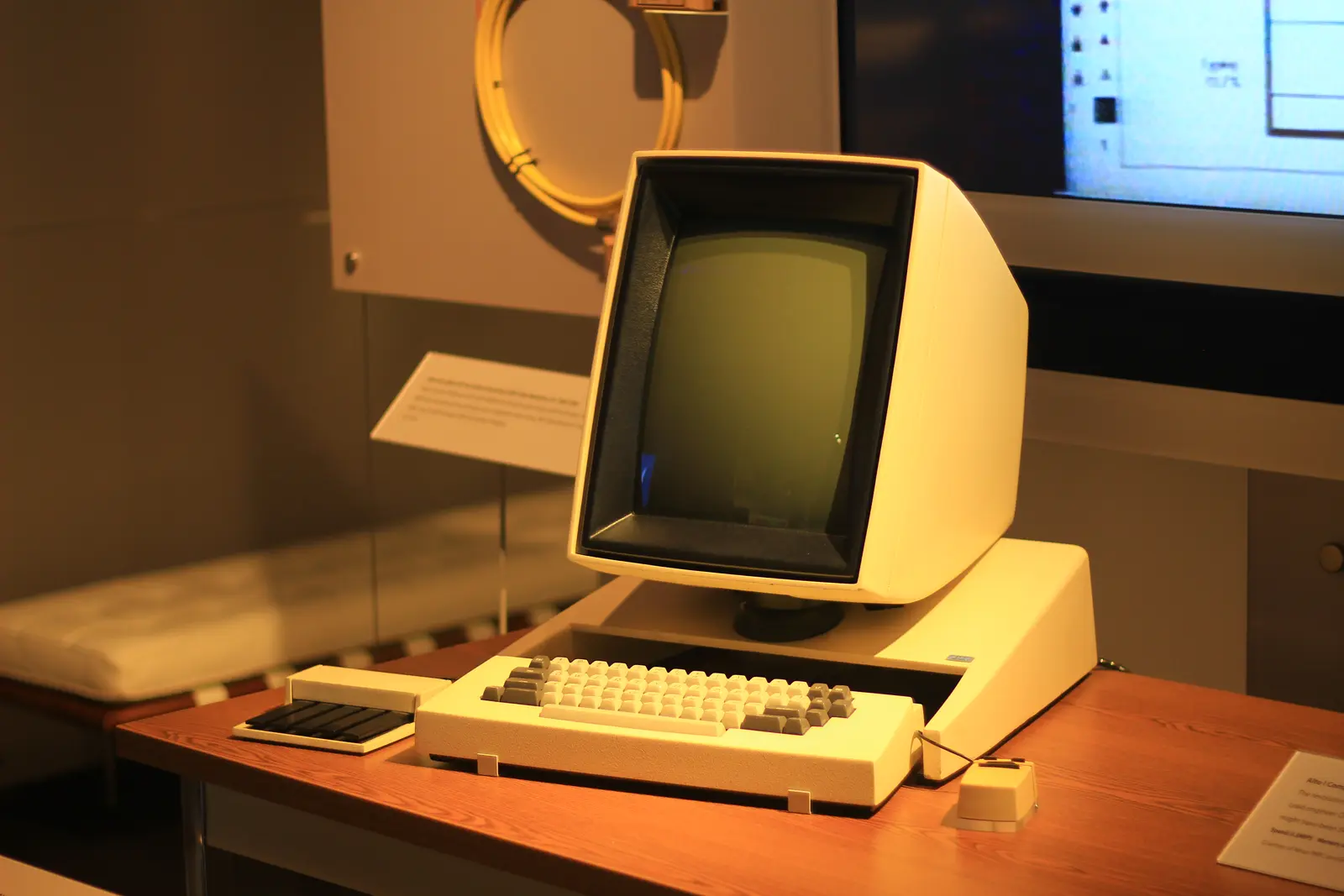
In 1975, Xerox PARC director George Pake described a desk where, by about 1995, documents and messages would arrive on a screen.
This was no idle fantasy. The Xerox Alto of 1973 had a graphical interface, mouse, windows, email and a word processor. Computers connected through Ethernet could share files and send documents to a laser printer. Text was no longer fixed the moment a typist struck the keys: a paragraph could move and a mistake could disappear without retyping the page.
With what you see is what you get, formatting became visible before printing. Anyone seeing such a system could easily believe that paper’s days were numbered.
Information scientist F.W. Lancaster gave the idea a broader frame in his 1978 book Toward Paperless Information Systems. Electronic information would reshape not only offices but libraries and scientific communication. The paperless future now had both popular appeal and academic backing.
03 / The building blocks
The technology looked ready
During the 1980s, the components of the paperless office escaped the research laboratory.
Word processors made corrections easy. Personal computers appeared on desks, local networks connected departments and email started to replace internal memos. Expanding hard drives held digital files.
WordStar, WordPerfect and later Microsoft Word made text fluid. Cutting and pasting stopped involving scissors and glue. At home, letters, address lists and household records could be stored on disk.
Curiously, the computer borrowed its visual language from paper. Documents had pages, margins and typefaces. Files went into folders and the screen became a desktop. In the middle of that digital desk sat the command that would postpone the paperless future: Print.
04 / The paradox
The printer won
The developments that were supposed to make paper obsolete also made paper much easier to produce.
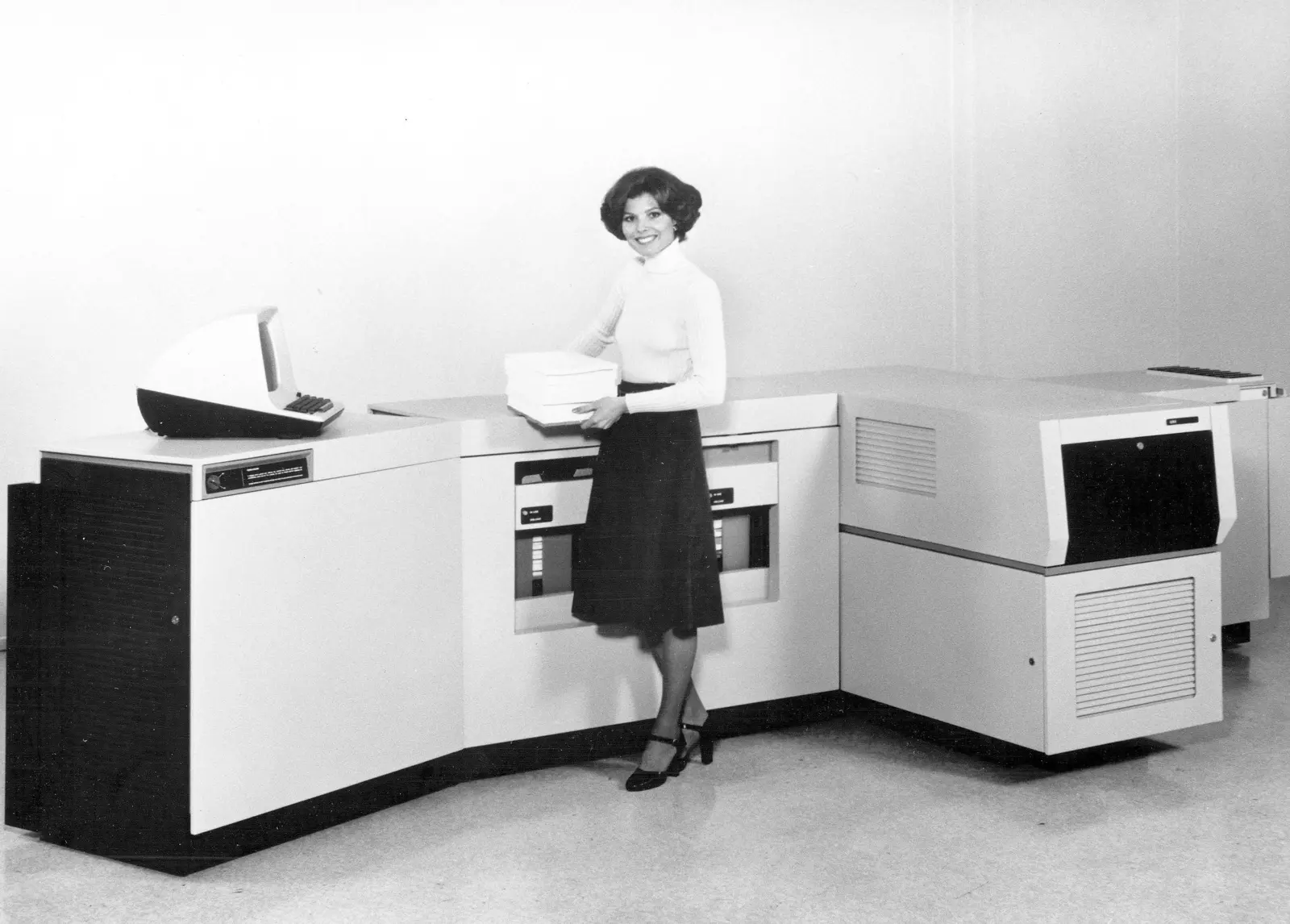
Every extra typewritten copy meant work. A computer file could be revised and printed again without limit. Laser printers delivered crisp professional pages, dot-matrix machines brought printing into small offices and homes, and inkjets later made colour affordable.
The result was not merely digital versions of existing paperwork, but many more versions. A draft was printed for review, again with corrections and then once for every person in a meeting. A hundred-page report could be reproduced ten times with one command.
Email made distribution effortless, but did not initially make screen reading appealing. Messages, attachments, articles, manuals and web pages still rolled out of printers. The computer did not abolish paper; it turned every user into a small publisher.
05 / Paper’s strength
More than an information carrier
Forecasters tended to see paper as a place for words. In daily work it performed many more jobs.
Sheets could be placed side by side and several pages remained visible at once. Readers could flip back and forth, fold a corner, underline a passage or write in the margin. A remembered position on the page helped them find information again.
Paper needed no power, password, software or start-up time. It could be carried, handed over or left on a desk as a visible reminder. A signature felt official, and copies let everyone in a meeting refer to the same layout and page numbers.
In The Myth of the Paperless Office (2002), Abigail Sellen and Richard Harper treated paper as part of the way people read, compare, arrange, discuss and remember. Their summary noted that introducing email into an organisation could raise paper consumption by an average of forty percent.
06 / Print first, read second
The screen lost to the sheet
Early monitors were small, heavy and relatively blurry. Long reading sessions were tiring, and comparing documents meant switching between windows.
Corrections were quicker and freer on paper. A pen could draw an arrow, circle a sentence or leave a question in the margin. Digital comments existed, but behaved differently in every program and felt less immediate.
Files brought uncertainty too. Had the document been saved? Could the recipient open its format? Was the newest version on the disk, network drive or computer? A printout supplied a temporary but tangible answer: this is the version under discussion.
A hybrid workflow emerged. Computers created, searched and transmitted documents; paper remained useful for reading, discussing, signing and arranging them. The digital and physical office did not replace one another. They learned to cooperate.
07 / At home
A little paper factory in the living room
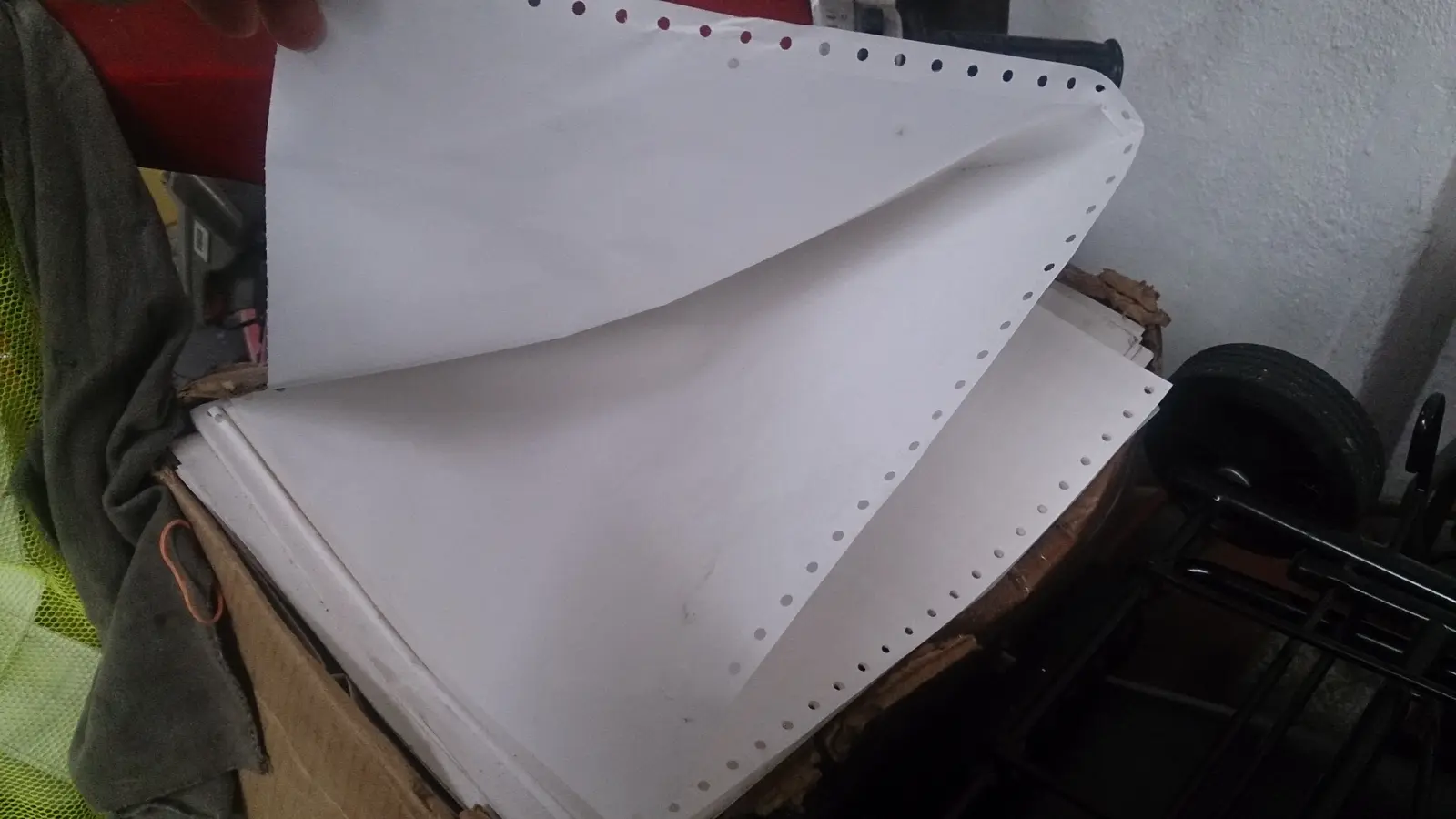
Home computers and PCs brought the printer into domestic life. Noisy fanfold paper soon carried letters, school reports and program listings.
Desktop publishing expanded the possibilities. One person could design newsletters, club magazines and leaflets that previously required substantial manual work or a professional printer. Typefaces, illustrations and columns invited people to create something new to print.
The computer itself demanded paper. Manuals were thick, programs complex and online help limited. Users printed source code, error messages, emails, directions and pages from the web. Digital information often became genuinely useful only after it reached paper.
The irony was complete: computers were sold as tools for processing information electronically, yet for years the printer was regarded as an almost indispensable accessory.
08 / Why it failed
The promise was too absolute
The prediction concentrated on technical possibility and paid less attention to the habits and social acts surrounding a document.
Digitising did not mean eliminating paper. A document created digitally could still be printed several times.
More information meant more documents. Computers made writing, copying and distribution cheaper.
Early screens were poor reading devices. Their size, resolution and controls could not match a sheet or stack of pages.
Paper supported human behaviour. It helped people arrange, compare, annotate and collaborate.
Organisations changed more slowly than machines. Procedures, signatures, laws and archive rules continued to revolve around paper.
Digital files created new uncertainty. Formats aged, media failed and systems could not always read one another’s documents.
09 / Not a complete failure
Society became paper-light
After 2000, paper did begin to disappear from many areas of everyday life.
Bank statements, airline tickets, bills, tax returns and insurance policies became digital. Newspapers gained apps, maps gave way to phone navigation, contracts acquired electronic signatures and whole administrations moved into the cloud.
Better displays helped. Laptops became light, tablets could be held like a page and e-readers offered calm screens with long battery life. Software improved searching, sharing, annotation and version control.
Yet society did not become paperless. It became paper-light and, above all, more selective. Paper often vanished from fleeting information, while remaining valuable for concentrated reading, personal notes, education, packaging and tangible memories.
Digitisation brought its own dependencies: passwords, permissions, backups, security, data centres and software that must keep files readable. Digital-only services can also exclude people without a suitable device or the confidence to navigate sign-in procedures.
10 / What remained
The right direction, the wrong destination
The office George Pake described came remarkably close. Only paper refused to disappear completely.
- PROMISEEverything on screen
Documents would be born, travel and remain entirely digital.
- PARADOXEveryone became a publisher
Computers made printing faster, better and cheaper.
- PRACTICEPaper did more
Reading, comparing, writing and arranging remained physically easier.
- LEGACYPaper-light
Digital documents took over many tasks without eradicating paper.
The failed promise was not digitisation itself, but the idea that a new medium had to destroy the old one. Technologies often accumulate: the new takes over some duties while the old finds a different role. What emerged was not an empty desk where paper was forbidden, but a workplace where every document raises the question: does this really need to be printed?
11 / Sources & images
Read and explore
- Computer History Museum — Xerox PARC Alto introduced
- Computer History Museum — Laser Printers
- Abigail Sellen and Richard Harper — The Myth of the Paperless Office
- Microsoft Research — research on active reading and annotation
Image credits
Xerox Alto — Michael Hicks, CC BY 2.0; resized and converted to WebP
Employee with Xerox 9700 — Xerox, public domain in the United States; resized and converted to WebP
Fanfold paper — ProjectManhattan, CC BY-SA 3.0; resized and converted to WebP


