Failed promises / Part 12
The network computer without software of its own
Why put an expensive PC full of programs, files and faults on every desk? The network computer needed only a screen, keyboard, processor and connection. In 1996 it looked like a cheap, elegant attack on the Windows PC.
01 / The promise
The computer becomes simple again
Plug it in, sign on and use the service: software, settings and documents would arrive automatically from the network.
By the mid-1990s the PC had become mature, versatile and complicated. Every machine had its own operating system, programs, settings and files — and could therefore fail in its own particular way.
Companies had to install and maintain hundreds of individual workstations. Employees deleted files, introduced viruses on floppy disks and used different versions of the same program. The purchase price was only part of the bill.
The network computer promised the opposite: a simple machine without a hard disk and sometimes without floppy or CD-ROM drive. At startup it fetched system software, applications and settings from a server; documents were stored centrally too.
A user could sign in at another desk and recover the same environment. An administrator installed a program once, while a broken box could be replaced without rescuing a personal disk first.
At home, a cheap box beside the television would be enough for email, websites, banking, games and word processing. Computing became access to a service, almost as simple as a telephone.
02 / Back to the terminal
A new idea from an older computer world
Before PCs reached every desk, many people already used terminals connected to a central computer.
A terminal had a keyboard and screen but performed little computation itself. A mainframe or minicomputer executed commands and stored programs and files. Specialists managed it all in a computer room.
The PC revolution reversed that model. Apple II, IBM PC, Macintosh and Amiga brought computing to the desk and home. Users chose their own software, stored files, connected peripherals and experimented without an administrator's permission.
That freedom made PCs attractive, but also created the management chaos of the 1990s. Every workstation became an independent system that needed updating, security and repair.
Diskless workstations and X terminals already existed. What was new was the expectation that internet standards would make this central architecture cheap, vendor-neutral and suitable for everyone.
03 / The PC becomes fat
More capability meant more maintenance
Advocates mocked the fat client: an overloaded machine determined to do everything itself.
Its hard disk held an operating system, drivers, fonts, utilities and libraries on which programs depended. One installer could overwrite components that another application needed.
In a large office, administrators walked between desks carrying disks or CD-ROMs. Important files remained on local drives without backups. Support, downtime, training and upgrades made real costs far higher than the shop price.
Meanwhile Windows and Microsoft Office became default standards. Any alternative device had to cope with documents, macros, printers and habits tied to Windows.
The browser and Java offered a way around the ecosystem. If applications arrived through open network standards, not every workstation needed Windows. The network computer was also a fight for power: would the centre remain on Microsoft's desktop, or move to servers and services?
04 / Larry Ellison attacks the PC
Oracle saw the database as the new centre
A world in which everything was requested from a server over the network suited Oracle perfectly.
Chief executive Larry Ellison became the best-known advocate. Many users simply wanted to retrieve information, complete forms, read messages and use a few business applications. Why install a complete software warehouse on every desk?
A price near five hundred dollars was often promised. Without a hard disk, abundant memory or a heavy desktop operating system, the device could undercut a multimedia PC.
That figure was technology and propaganda. Companies could treat workstations as access points, while consumers would no longer replace expensive PCs every few years.
If applications ran in Java or a browser, Windows became less important. Oracle founded Network Computer Inc.; Sun, IBM, Netscape and Apple backed parts of the concept. The NC was both a device and a coalition against the market leader.
05 / A computer as an open profile
The NC Reference Profile tried to create a category
In 1996 a joint profile defined minimum functions and open standards rather than one particular machine.
A network computer needed display, pointing, text input and sound. More important were TCP/IP, HTTP, HTML, email, security and common image and multimedia formats. Devices from different makers should work with the same services.
Java had a starring role. Sun's write once, run anywhere promised software for many processors. An application came from the server and ran locally without separate Windows, Macintosh or Unix editions.
One company could build an office terminal and another a television box. ARM, PowerPC, SPARC and PC components were all possible. Even “no hard disk” was more ideal than absolute rule.
That flexibility also made the concept vague. An ordinary PC with a browser already met many requirements. The industry tried to define a new category just as the old one began absorbing its features.
06 / Acorn and IBM build the promise
The idea acquired several faces
Efficient ARM processors and a compact operating system made Acorn a natural builder.
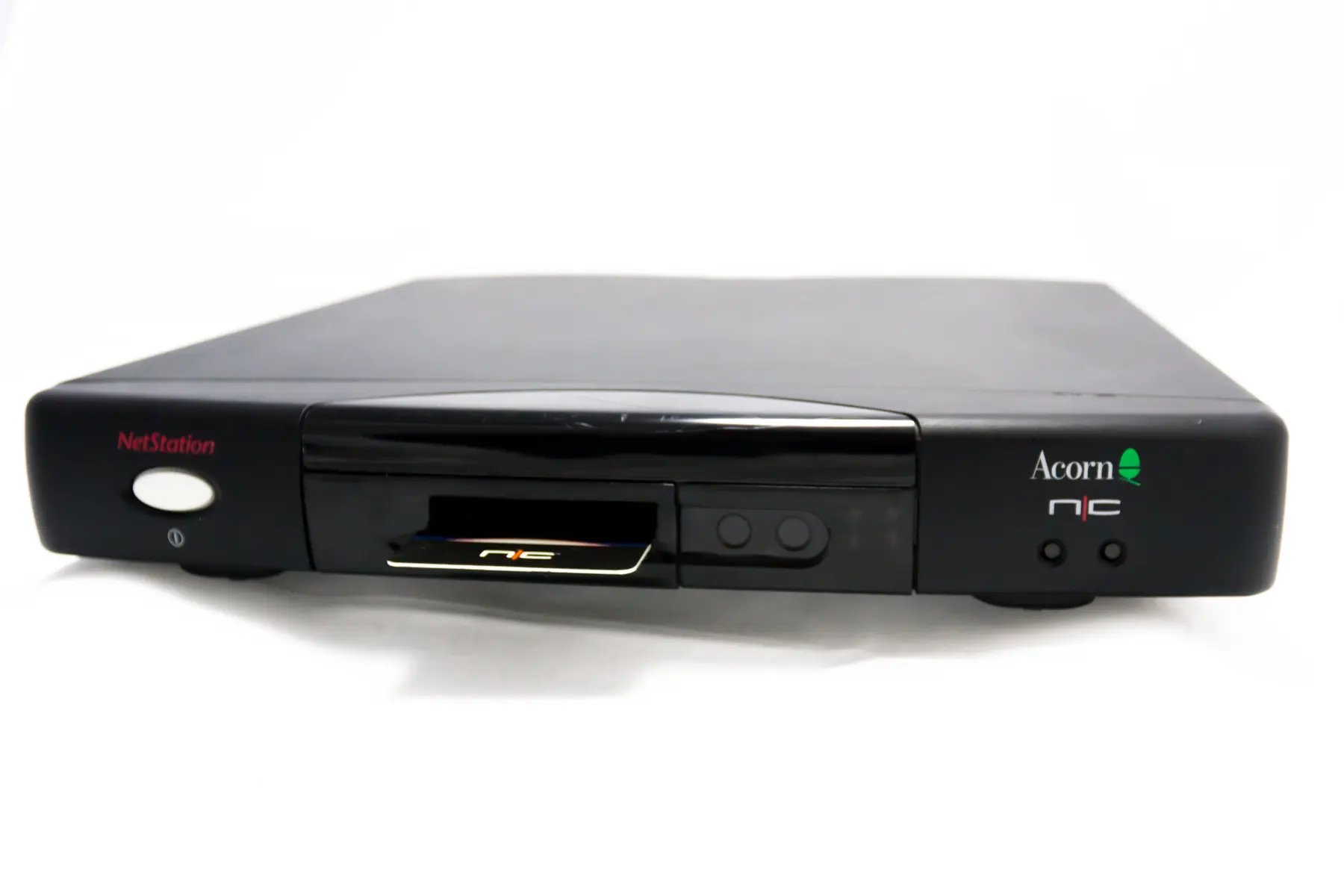
The Acorn Network Computer, later NetStation, appeared in 1996 with an ARM processor and NCOS derived from RISC OS. It booted from ROM and reached applications over the network. No hard disk meant silence, lower cost and fewer ways for users to disrupt it.
IBM introduced its Network Station in September 1996 and called it the first network computer in its annual report. The device connected to AS/400, mainframe and other corporate systems.
This exposed the gap between dream and market. Promotional visions showed a cheap computer for millions of homes. The strongest uses appeared in banks, governments, shops and offices with predictable tasks.
A clerk needed neither CD-ROM nor personal software. A home user wanted to experiment, install games, keep photographs and attach new devices. Simplicity for the administrator could feel like restriction to the user.
07 / Sun gives Java its own computer
The JavaStation wanted to make Windows unnecessary
Sun tied its programming language most clearly to a machine without hard disk, floppy drive or CD-ROM.
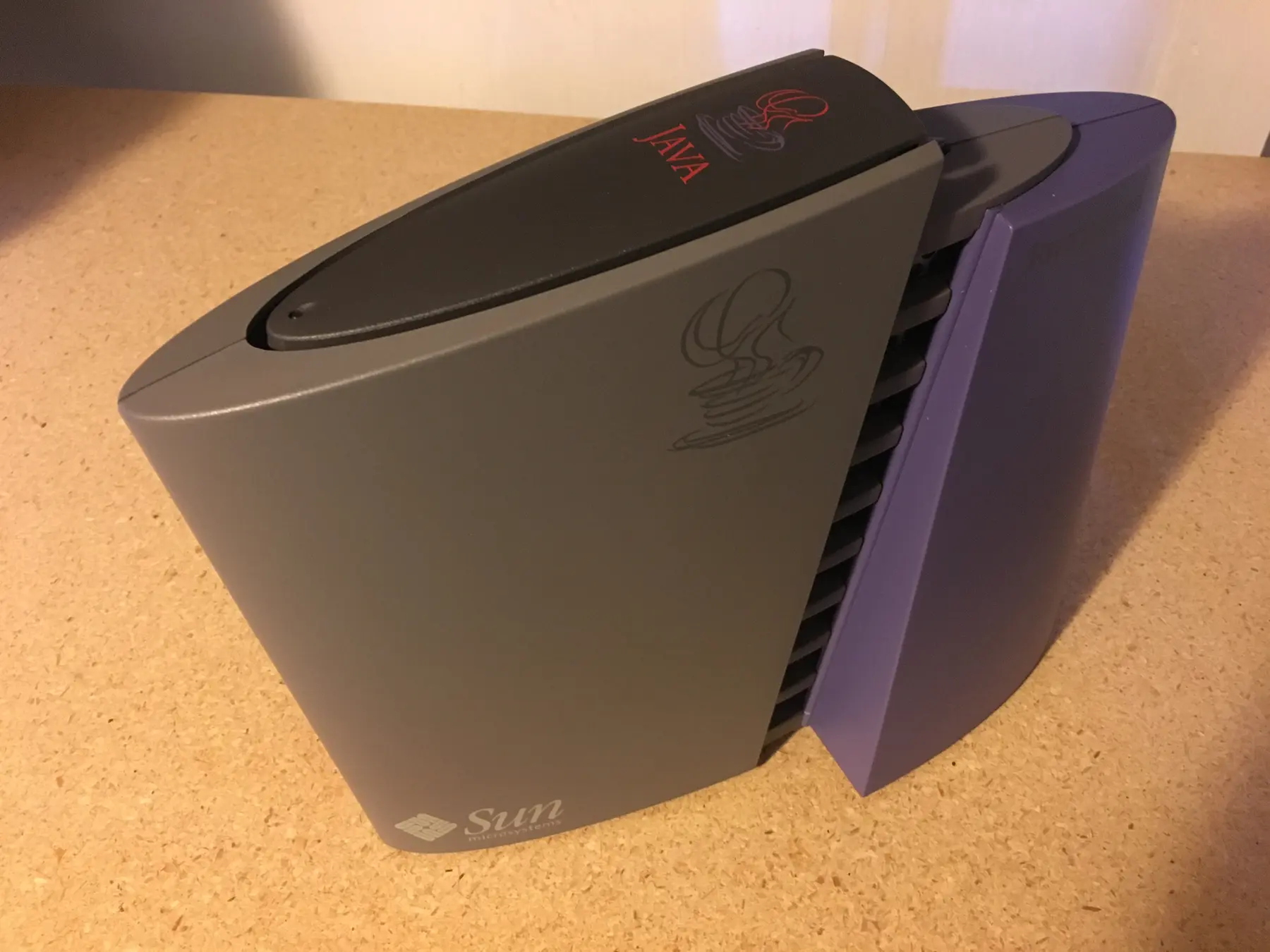
The commercial JavaStation used a microSPARC processor; JavaOS, applications and user data came from a server. HotJava served as browser and gateway.
Programs did not have to run continuously on the server. They were downloaded and executed locally as Java software. Administrators retained control while the workstation supplied computing power.
In practice, Java applications often felt slower and less polished than Windows software. Libraries changed rapidly and “run anywhere” did not always mean identical behaviour everywhere.
The simple desk machine also shifted complexity to the server room. Servers, networking, software distribution and administration all had to be provided. The box was inexpensive; the complete environment was not automatically so.
08 / Where it did work
Predictable tasks suited it better than personal freedom
At service counters, call centres, banks and warehouses, central storage and locked-down workstations offered real benefits.
The Roads and Traffic Authority of New South Wales placed hundreds of JavaStations in driver licensing and vehicle registration offices in 1997. Staff followed clearly defined processes; local software freedom added little.
But this market already had terminals, Unix workstations and later thin clients. The NC had to prove not only that central management worked, but that browsers, Java and new standards beat existing solutions.
The useful business version therefore lost its revolutionary character. Instead of a universal computer for every internet user, it became a modern terminal for one organisation.
At home there was no professional server, while one PC had to handle letters, games, scanners and digital cameras. The NC was strongest where “personal” hardly mattered — a worthwhile niche, not a replacement for the PC industry.
09 / Everything rests on the network
In 1996, a connection was not a given
The safety net disappeared from the desk precisely when its replacement still squealed before making contact.
An office local network could be permanent and reasonably fast. At home, internet usually meant a modem and telephone line. Users dialled, waited and often paid by the minute. If the line failed, the entire working environment could vanish.
A PC continued offline: programs and documents remained on its hard disk. The network computer became cheaper by removing exactly that fallback.
Web applications were basic. Java applets promised interaction but were slow, memory-hungry and prone to compatibility and security trouble. Printers, scanners and cameras mainly shipped with Windows or Macintosh drivers.
A server outage affected every workstation; a slow link made every computer slow. The promise treated networking like electricity: ever-present, fast enough and invisible. Reality was nowhere near that point.
10 / Why the promise failed
Cheap hardware did not create a cheap environment
The NC addressed a genuine management problem but required connections, applications and habits to change together.
The network was slow and fragile. Dial-up made constant server dependence impractical, especially at home.
Applications were not ready. Browsers and Java could not convincingly replace Office, graphics packages and familiar software.
The low price was incomplete. Businesses needed servers, capacity, management software and custom work.
PCs became cheaper. Hard disks and memory fell in price while Windows machines kept their compatibility.
Users wanted freedom. Installing, storing, playing and connecting peripherals were part of the value and pleasure of a personal computer.
The category remained vague. NC, NetPC, JavaStation, Network Station, internet appliance and thin client offered different mixtures of local storage and processing. No single mass-market product emerged.
11 / The PC learns from its challenger
Microsoft kept Windows and adopted management
The NetPC resembled a network computer but remained compatible with existing Windows software and infrastructure.
The 1997 reference specification described a compact, sealed business machine designed for central management. Microsoft's Zero Administration let administrators control software and settings over the network and stop users making changes.
Microsoft separated the problem from Oracle's proposed solution. An organisation did not need to abolish PCs in order to manage them better.
Windows Terminal Server, Citrix and specialised thin clients fitted existing applications more closely. PCs gained server profiles, shared drives, remote installation, automatic updates, webmail and online calendars.
The criticism of the PC had been valid. The industry absorbed it without surrendering the familiar platform. A radical new device lost to the hybrid: an ordinary PC that behaved increasingly like a network computer behind the scenes.
12 / What remained
The network computer returned with local storage
Broadband, powerful web applications, cloud storage and software as a service made the vision normal — once the device gained a local safety net.
- PROMISESimple access to the network
No local programs or files: signing in restores the same workspace anywhere.
- BREAKTHROUGHCentral management and open standards
Browsers, Java and network protocols would make hardware and Windows less important.
- BRAKEConnections and software were not ready
Slow internet, weak web applications, poor compatibility and server costs kept PCs in place.
- LEGACYThe cloud computer with a fallback
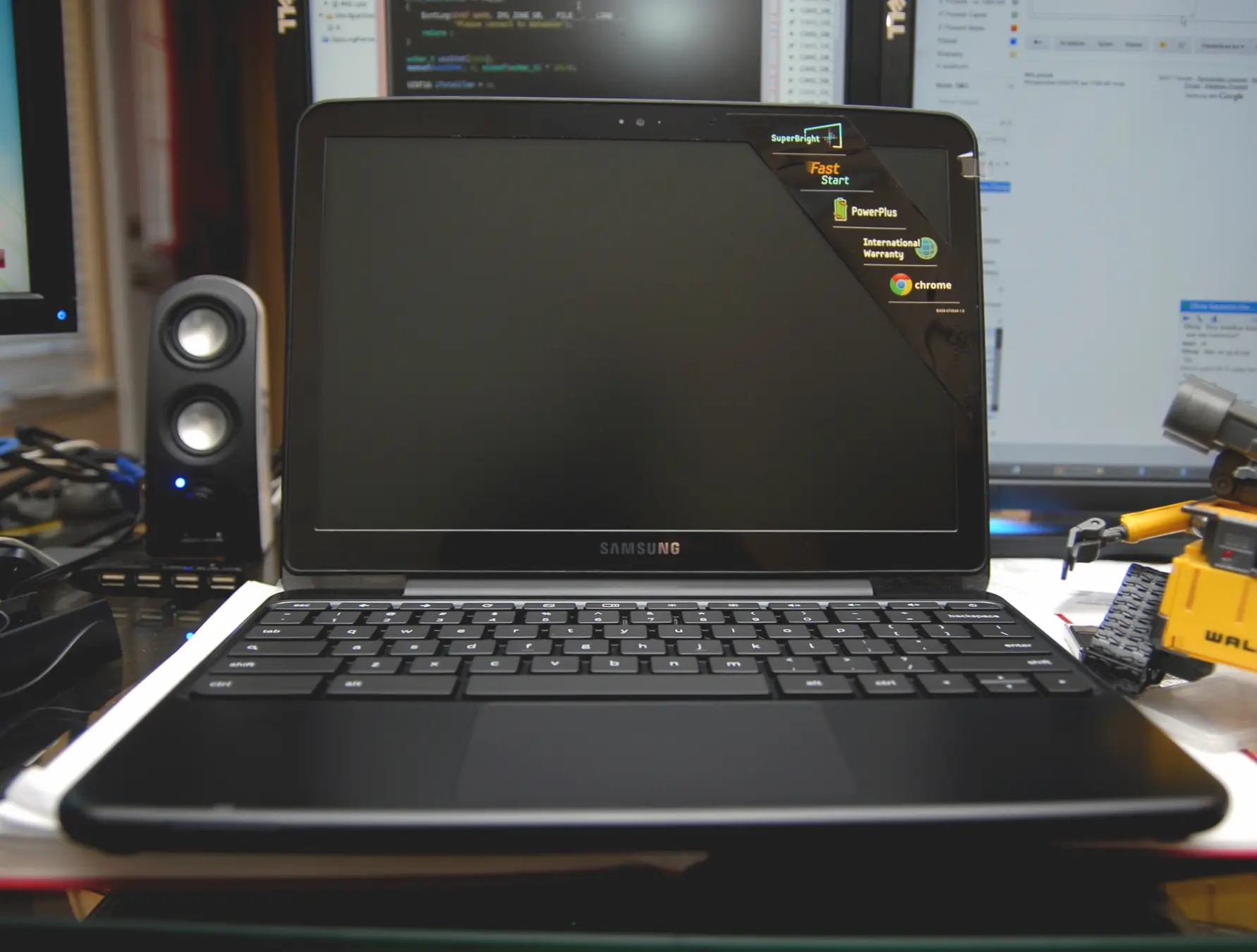
Chromebooks, SaaS and cloud storage realised much of the vision but retain enough locally to remain useful.
The network computer did not fail because everything had to remain local. It failed because it tried to remove the local part completely, too soon.
13 / Sources & images
Read and explore further
- IBM — Annual Report 1996
- IBM — IBM Network Station
- IBM Redbooks — IBM Network Station: Use and Administration
- Acorn Computers — Network Computer and NCOS
- Wired — Hey! A Network Computer
- Microsoft — NetPC Reference Specification
- Google — Chromebook turns 10
Image credits
Acorn NetStation — Flibble, CC BY-SA 3.0; resized and converted to WebP
Sun JavaStation — Adrian Cockcroft, CC BY-SA 4.0; resized and converted to WebP
Samsung Chromebook — Closari, CC BY 2.0; resized and converted to WebP


