Failed promises / Part 8
The computer that listened to you
The keyboard would disappear. We would simply say what the computer should do, and our words would appear on the screen.
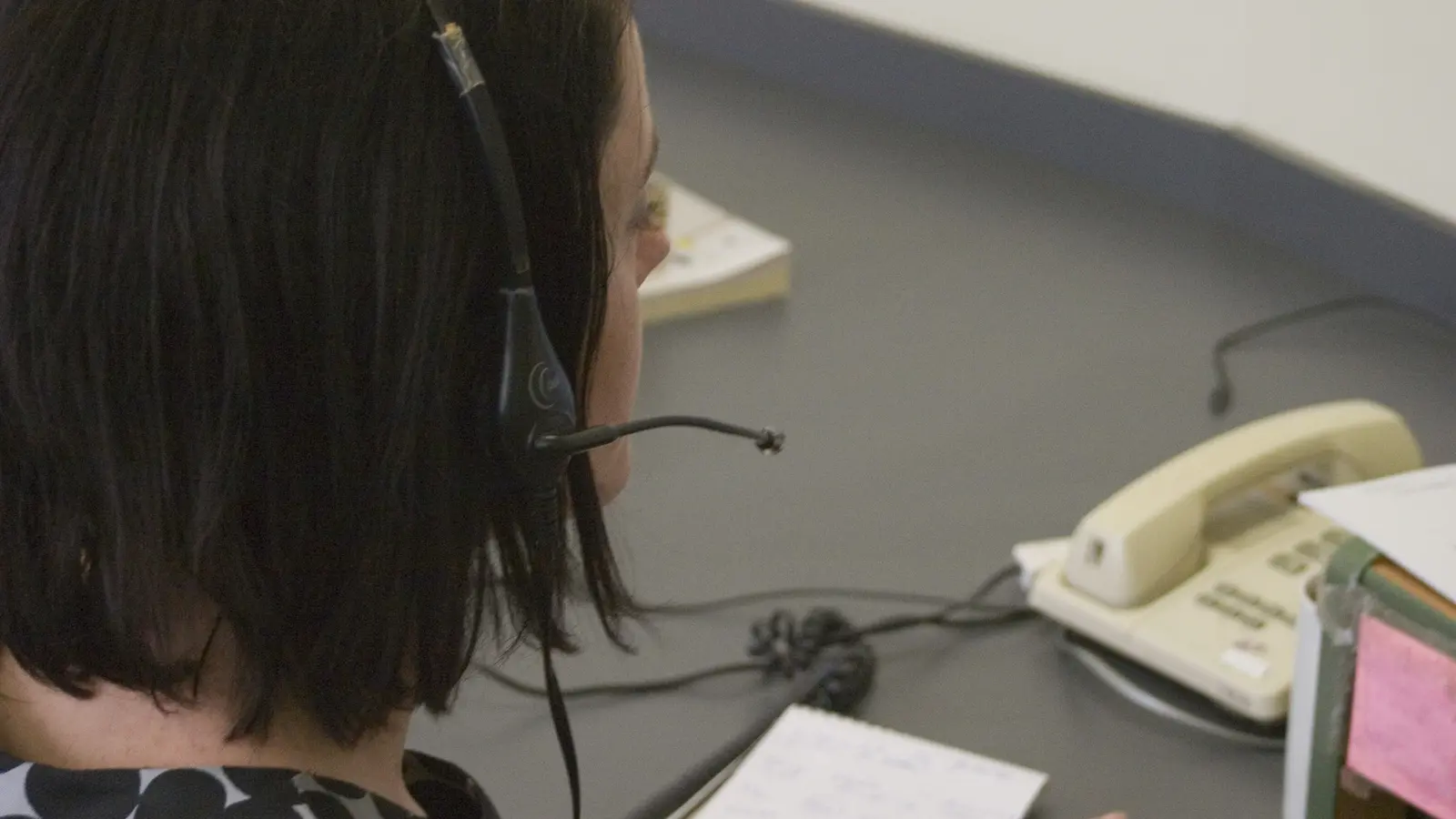
01 / The promise
Surely talking was easier than typing
Speech recognition would reverse the roles: the computer, rather than the human, had to learn a new language.
No touch-typing course, cryptic command or hand on a mouse. Anyone who could speak could use a computer. In demonstrations, a letter appeared line by line while the user leaned back.
A listening computer could give older and physically disabled people greater independence. Doctors could dictate reports, motorists kept their hands on the wheel and children spoke to educational software.
Talking is simple only for the speaker. To a computer, ordinary speech is a stream of sound without visible spaces. People swallow letters, change pace and use the same words to mean different things. The machine had to find order in the disorder of human language.
02 / A shoebox that calculated
Sixteen words felt like a breakthrough
The earliest systems did not listen to conversations but to a tiny collection of carefully pronounced sounds.
Bell Laboratories built Audrey in the 1950s to recognise spoken digits. Its electronics filled a large rack and worked mainly for one speaker.
IBM attracted widespread attention with Shoebox in 1962. The device recognised the digits zero to nine and six mathematical words, including plus, minus and total. A speaker recited simple sums; Shoebox converted the sounds into a calculation.
The limitation was hidden inside the demonstration. Shoebox chose from a small menu of expected sound patterns. Recognising a digit is different from transcribing an improvised story. Even so, a vocabulary of thousands soon looked like a mere matter of faster chips and more memory.
03 / A thousand words for Harpy
The computer gained a dictionary and a hunch
Carnegie Mellon University’s Harpy could process a vocabulary of 1,011 words in 1976.
The system combined acoustic information with knowledge of likely word sequences. When a sound could belong to several words, the rest of the sentence helped decide which result was most probable.
Harpy searched a network of permitted sentences. It appeared to understand what was said but moved within a language world designed in advance. Beyond that world, its confidence quickly declined.
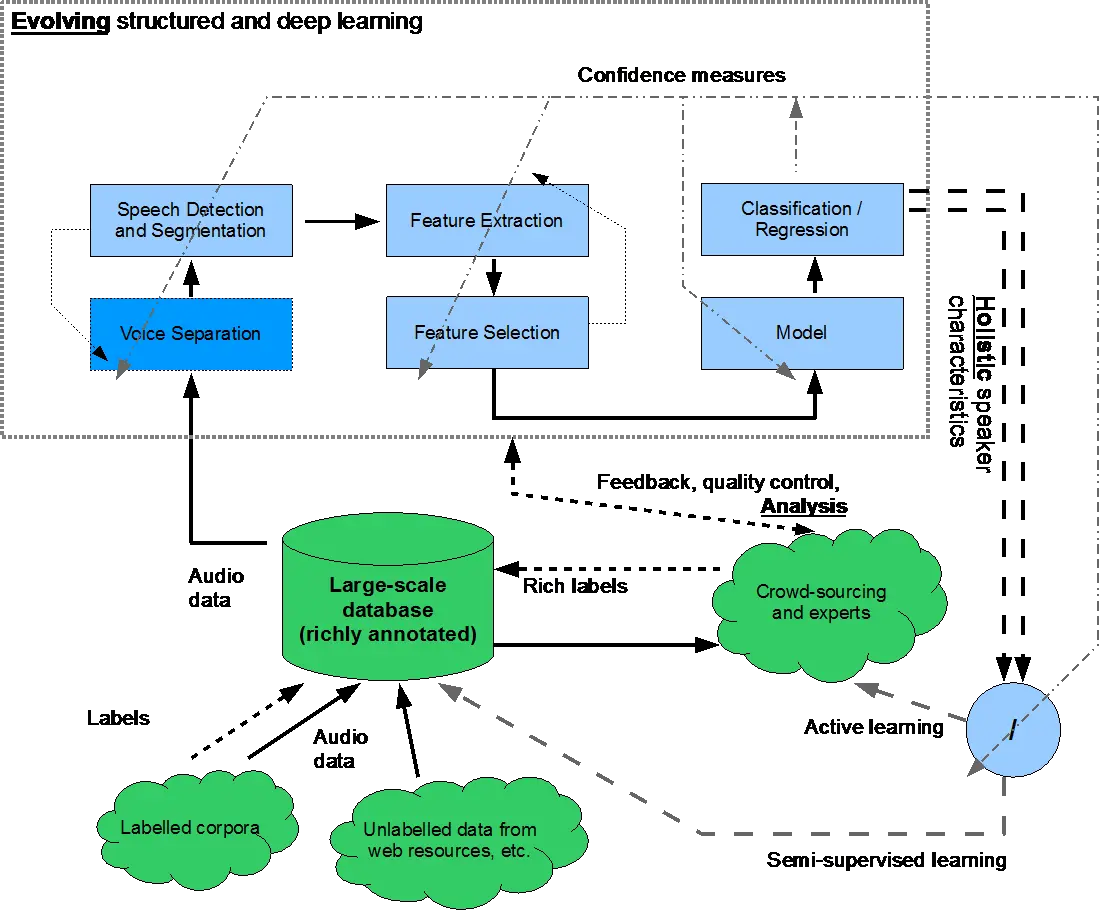
The achievement helped lay foundations for later statistical recognition. It also showed how much computing power was needed to approach something humans do without conscious effort.
04 / The computer from the movies
HAL 9000 set an inhumanly high standard
Popular culture held complete conversations with computers while laboratories still practised numbers and word lists.
In 1968’s 2001: A Space Odyssey, astronaut Dave Bowman spoke to HAL 9000 as if it were a colleague. HAL recognised words, tone, context and even doubt. Later films and television repeated that image.
A real system that correctly recognised nine words out of ten could be technically extraordinary and still feel stupid. People compared a speech computer not with a keyboard but with a conversational partner.
A keyboard almost always produces the key that was pressed. Speech recognition produces probabilities. Even a low error rate becomes irritating when every sentence needs checking and correction.
05 / The Commodore 64 gains ears
Voice Master made spoken commands affordable
The 1984 Covox Voice Master brought recording, speech output and recognition to home computers.
The package was sold for machines including the Commodore 64, Apple II and Atari 8-bit family. Users trained it with their own words. When the computer later recognised red, for example, a demonstration could turn the screen border red.
It was not a general-purpose dictation machine. Its vocabulary was small, and it mostly recognised the person who had recorded the examples. A family member often needed to train a separate set of patterns.
The experience was nevertheless remarkable. A family computer suddenly appeared to listen. Magazines imagined programs that could be spoken rather than typed. In practice, a command such as fire or stop worked far better than a complete line of BASIC.
Voice Master offered home users a glimpse of the future — and a lesson that reacting to a few trained sounds is not the same as listening to everything someone wishes to say.
06 / Speak — pause — speak
Dictation sounded less natural than typing
Early commercial dictation systems required a short pause after every word.
“This. Is. A. Letter. To. The. Director.” The silences told the computer where one word ended and another began. For the user, the natural rhythm of thought disappeared.
DragonDictate brought large vocabularies to the PC around 1990. Users invested time in training, a good microphone and a disciplined dictation style. Punctuation had to be spoken too: “Dear sir comma new paragraph.”
Slow typists could gain considerable time. Fast typists often lost that advantage while correcting mistakes. A mistyped word felt like one’s own error; a misheard word felt like an argument with the machine.
07 / Continuous speech
At last, the user could say a complete sentence
Faster processors and better language models made continuous speech possible in the 1990s.
IBM released ViaVoice for consumers in 1997. Dragon NaturallySpeaking appeared in the same period. Philips also pursued speech recognition for professional use and the home market.
Philips FreeSpeech arrived in the Netherlands in 1999. According to a review in the Dutch magazine Onze Taal, the software cost 99 guilders; a package with a SpeechMike microphone was 299.99 guilders. Support for spoken Dutch mattered in a market where English usually led.
Installation began with reading passages aloud. Example sentences taught the program a user’s pronunciation, pace and voice. Continuous dictation then became possible — as long as the speaker was careful and remained within the language model’s expectations.
A practised speaker with a good microphone made a spectacular demonstration. Accuracy dropped in a noisy room, with names, technical terms or an unfamiliar accent.
08 / The training ritual
The user had to speak like a computer
The natural interface demanded unnatural behaviour.
The microphone needed the correct distance. The room could not be too noisy. Names, abbreviations and specialist words had to be added to the dictionary. A cold, different microphone or tired voice could affect the result.
Corrections were part of training. Users needed not only to replace the wrong word but to tell the program what had actually been said.
The reward came only after an investment. Many people tried the software for one evening, encountered bizarre errors and returned to the keyboard. The computer that would adapt to people once again asked people to adapt to it.
09 / Hearing is not understanding
The right word can still be the wrong command
Recognition asks which words were spoken; understanding asks what the speaker meant.
“Put the letter with the file” makes sense to a colleague through shared knowledge. A computer must know which letter, which file and what with means. “Make it a little warmer” requires knowledge of temperature, preference and the system to operate.
Many applications therefore restricted freedom. An automated telephone said: “Say sales or service.” Anyone who spoke outside the expected grammar was not understood.
The more human the computer voice sounded, the stronger the expectation that the system could also listen like a human. It might recognise every word correctly and still be unable to act on the sentence.
10 / Why it failed
The voice did not replace the keyboard
The central mistake was the belief that one interface would replace every other one.
Speech varies. Accent, speed, emotion, illness and background noise continually change the signal.
An error is expensive. One wrong word can alter meaning and forces the user to proofread everything.
Correction interrupts thought. Dictation is fast until something goes wrong; repairing it consumes attention.
Privacy is absent. In an office, train or shared home, not everyone wants to say documents and searches aloud.
Not every task is verbal. Formatting a table or making a precise selection often works better with a mouse, keyboard or touch.
Recognition is not understanding. The words may be right while their intent remains unclear.
11 / Not a complete failure
The listening computer found suitable tasks
Speech recognition became valuable wherever its benefit clearly outweighed the burden of corrections.
Doctors, lawyers and other professionals dictated long reports in predictable specialist language. For people unable to use a keyboard or mouse, voice control was not a curiosity but access.
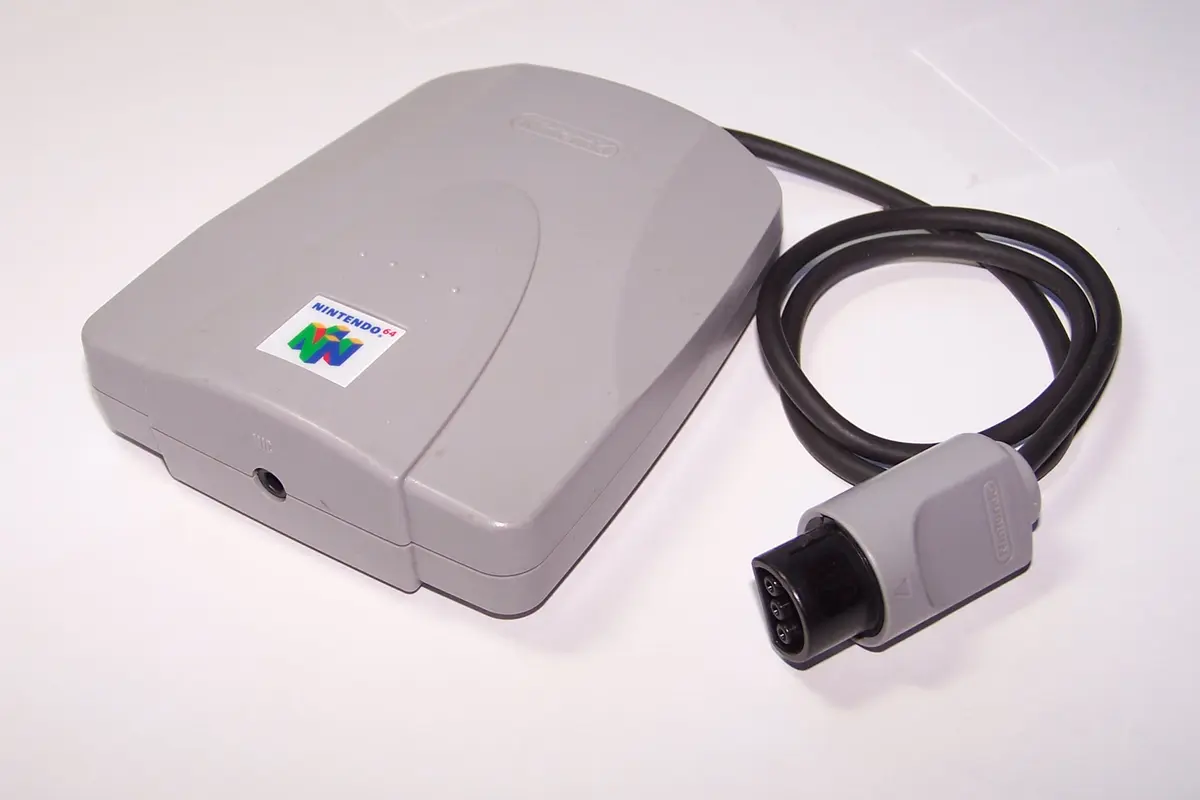
Nintendo released Hey You, Pikachu! in Japan with a Voice Recognition System. Players gave Pikachu simple spoken instructions. It was not a free conversation, but the limited game world was precisely what made recognition useful.
Smartphones and smart speakers later brought speech recognition into millions of homes. They succeeded not by understanding everything, but because a set of short tasks became useful: setting a timer, selecting music, dictating a message or controlling a lamp.
12 / What survived
We talk to computers, but not all day
The listening computer lives inside phones, cars, customer service and smart speakers. The keyboard survived as well.
- PROMISETalking replaces control
Anyone can operate a computer by speaking ordinary language.
- BREAKTHROUGHSounds become probabilities
Systems combine acoustic patterns, dictionaries and language models.
- BARRIERRecognition is not understanding
Accents, noise, context and ambiguity make conversation difficult.
- LEGACYVoice as an additional interface
Dictation and commands work beside keyboards, mice and touchscreens.
The computer learned to listen. Talking simply proved not to be the most natural control in every situation: sometimes a button is clearer, a touch is faster and silence is preferable.
13 / Sources & images
Read and see more
- IBM — Speech recognition
- Carnegie Mellon University — A History of Human-Centered Innovation
- Computer History Museum — Audrey, Alexa, Hal, and More
- HCI Museum — Covox Voice Master
- Onze Taal / DBNL — The dictation machine
- Nintendo — company history and Voice Recognition System
Image credits
Office worker with headset — Panelxf, CC0; cropped and converted to WebP
Speech-recognition diagram — IHEARu, CC BY-SA 4.0; converted to WebP
Nintendo 64 Voice Recognition Unit — WikiY, CC BY-SA 3.0; resized and converted to WebP


