Failed promises / Part 9
Handwriting recognition and the pen computer
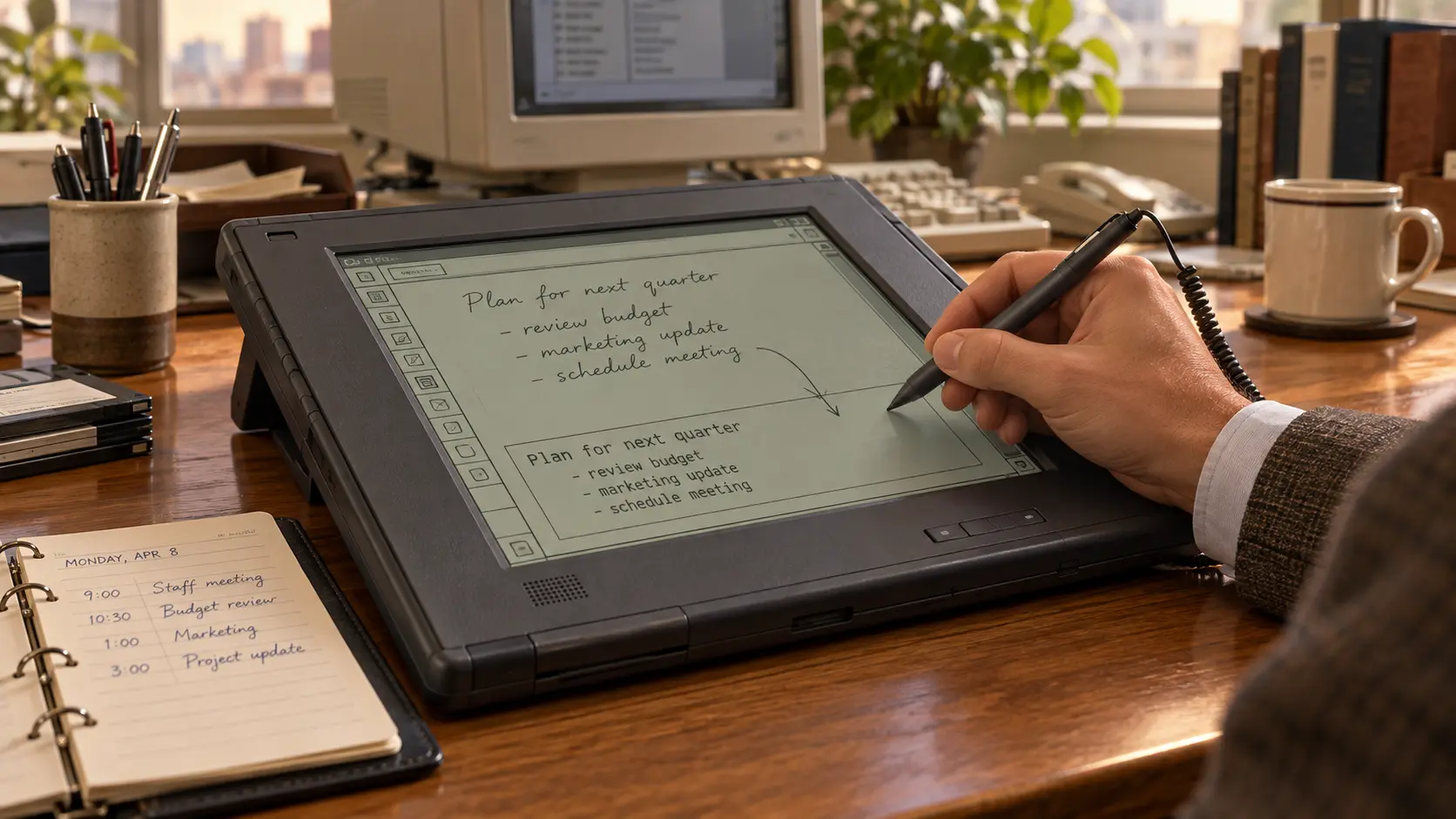
The computer was going to make the notebook obsolete. Write on the screen and the machine would turn your scribbles into neat text. In practice, it was usually the user who had to learn to write again.
01 / The promise
Writing without a keyboard
Why should a portable computer look like a typewriter with a screen attached?
When people jot down a name, fill in a form or make a sketch, they naturally reach for a pen. The pen computer promised a simpler relationship with technology: no desk, mouse or typing lessons. Users would hold a flat device like a notepad, write directly on its screen and watch handwriting become digital text.
Words could then be searched, copied, sent and printed. Cross out a mistake; move a paragraph with a gesture. Doctors could update records while standing, warehouse staff could walk around with electronic forms and managers could take notes without hiding behind a laptop lid.
Yet a handwritten letter is not a letter to a computer. It is a trail of coordinates, curves, speeds and interruptions. People recognise hurried writing by using language and context. Early machines saw only a trace whose beginning and end were not always obvious.
02 / The pen before the PC
The RAND Tablet turned movement into data
Researchers tracked electronic pens long before an entire computer would fit in a bag.
In 1964 RAND Corporation described a graphic input tablet with a ten-by-ten-inch writing surface and a wired stylus. The user moved the pen across a horizontal tablet while the result appeared on a separate monitor. Test users reportedly adapted quickly — the same eye-hand coordination later became normal with a mouse.
It was a research instrument, and a handmade unit cost about $18,000. Even so, it contained the essence of later pen computers. It could track not just the stylus position, but also use the direction, pauses and speed of a stroke.
A scan preserves the final image of a letter. A digitiser can see how the letter was formed. That extra information helps distinguish a circle from a written o. The electronic pen existed; the digital notebook did not.
03 / The notepad from 1989
GRiDPad found a market that worked
The GRiDPad became one of the first commercially successful tablets.
Designer Jeff Hawkins did not want to build a shrunken desktop PC. The flat GRiDPad was operated with a stylus, ran software on top of MS-DOS and recognised written characters. It weighed more than two kilograms and cost thousands of dollars, but it did not need a desk.
Organisations commissioned their own applications. A delivery driver, insurance inspector or warehouse worker was not writing a novel. They selected fields, entered short codes and collected a signature. Electronic forms removed the need to retype the information later.
Turning unrestricted handwriting into long passages remained difficult. A form with expected answers gave the software far fewer possibilities. GRiDPad succeeded in jobs where moving around and collecting data mattered more than writing at length.
04 / An operating system for the pen
PenPoint made the computer a notebook
A stylus that merely moved a mouse pointer did not make a good pen computer.
GO Corporation designed PenPoint around the stylus in the early 1990s. Documents lived in a digital notebook with pages and tabs. Users wrote in designated areas and issued commands with gestures. A large cross deleted an object; circling selected it.
PenPoint was ambitious: a 32-bit object-oriented operating system with multitasking, networking and hardware independence. The EO Personal Communicator added a wireless modem and anticipated parts of the smartphone.
Microsoft announced Windows for Pen Computing in 1992 as an extension to Windows 3.1, with more than two hundred hardware and software companies pledging support. But compatibility and elegance pulled in opposite directions. PenPoint was designed for a pen but lacked applications; Windows had many applications designed for a mouse and keyboard.
05 / Newton must read the future
Apple sold a personal digital assistant
The 1993 Newton MessagePad gave the pen computer a face — and its recognition problems a reputation.
Newton was not a pocket PC but a companion for notes, appointments, contacts and messages. The system tried to understand written information: an appointment written in a note should eventually become an item in the calendar.
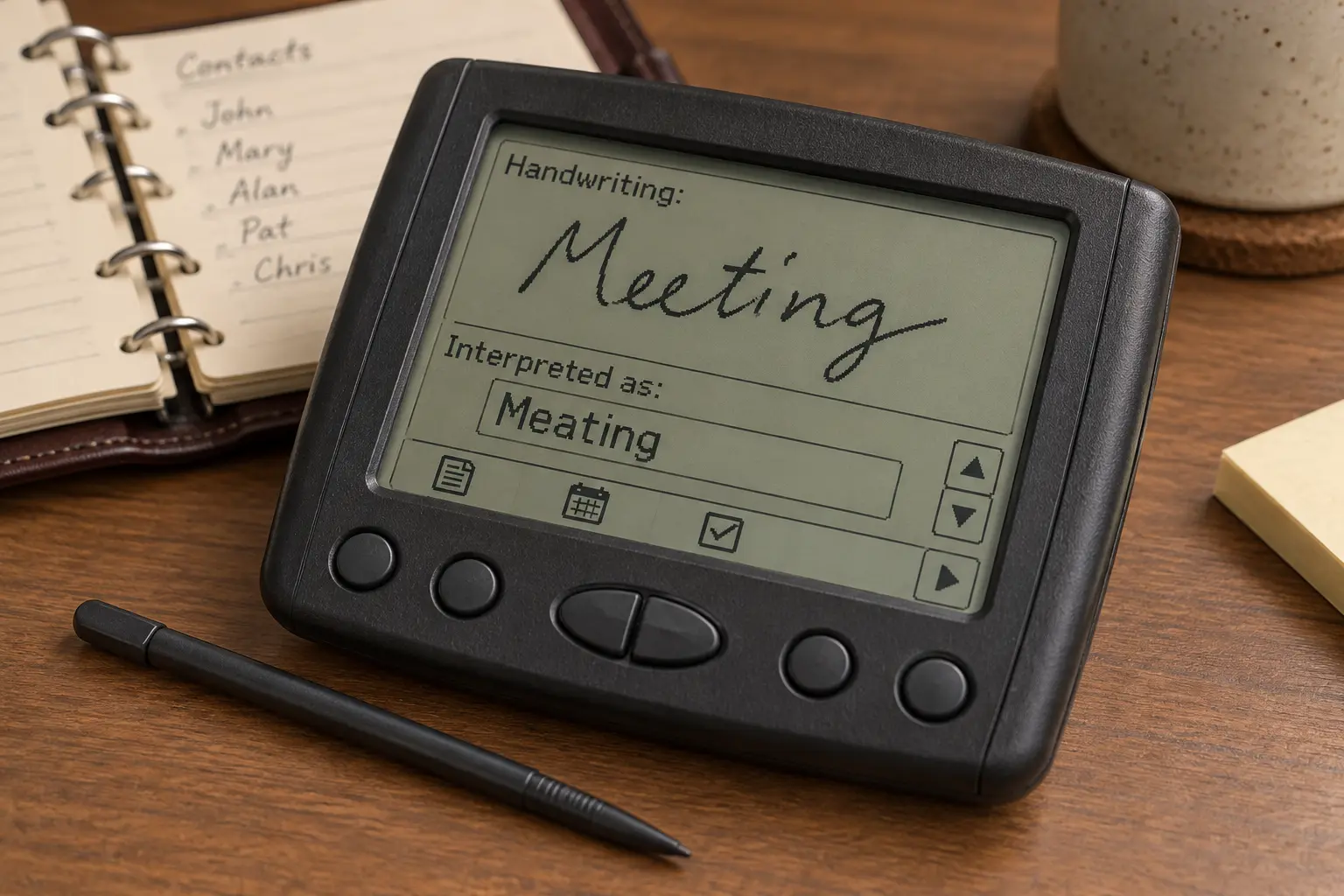
The first model struggled with real handwriting. Letter shapes changed with haste, fatigue, writing angle and neighbouring letters. A small screen and slippery stylus did not help. After an error, users had to stop, inspect, select and correct.
Later Newton OS releases improved recognition considerably. Public opinion, however, had already formed. The feature intended to make Newton feel human became the best-known proof that the machine did not understand people.
06 / Why a scribble is so difficult
The computer had to guess where the letters were
Printed text consists of tidy symbols; handwriting is movement.
Letters touch, disappear and change shape beside other letters. One person’s e resembles another person’s i; a hurried rn can look like an m. Recognition software must find word boundaries, divide a trace into letters, compare patterns and use a dictionary to select the most likely result.
Context helps but creates new mistakes. An unfamiliar surname becomes a familiar word. A product code or a Dutch term does not fit an English dictionary. And unlike a keyboard, a writer never produces exactly the same symbol twice.
Ninety percent accuracy sounds impressive but means one error in every ten characters. Even 98 percent can produce several corrections in a paragraph. Neat digital text looks certain, so a wrong word appears just as convincing as a correct one. Everything has to be checked.
07 / The correction problem
Fixing an error cost more than one letter
With digital handwriting, good correction mattered at least as much as the first recognition attempt.
A system had to show uncertainty, suggest alternatives and learn from a correction. Those steps were awkward on a small display. The same pen could produce text, select an object or issue a delete gesture. Modes and fixed writing areas reduced confusion, but every rule weakened the promise of natural writing.
The physical experience also worked against the idea. Early LCDs were slow and low-contrast. A stylus slid over hard plastic without the resistance of paper. The line could visibly lag behind the tip, while the writing hand covered the very area the user needed to see.
A portable device had to be light and economical, while recognition demanded processing power and memory. If the machine hesitated, even a correct result felt slow.
08 / Palm reverses the promise
The user, not the computer, learned an alphabet
Graffiti reduced the problem until recognition became fast and predictable.
The 1996 PalmPilot was smaller, cheaper and deliberately more limited than many earlier pen computers. Its focus was the calendar, contacts, tasks and notes, with one-button synchronisation to a PC or Mac.
Palm did not attempt unrestricted handwriting. Graffiti used simplified shapes written one at a time in a dedicated area. Cross strokes and ambiguous movements were removed where possible.
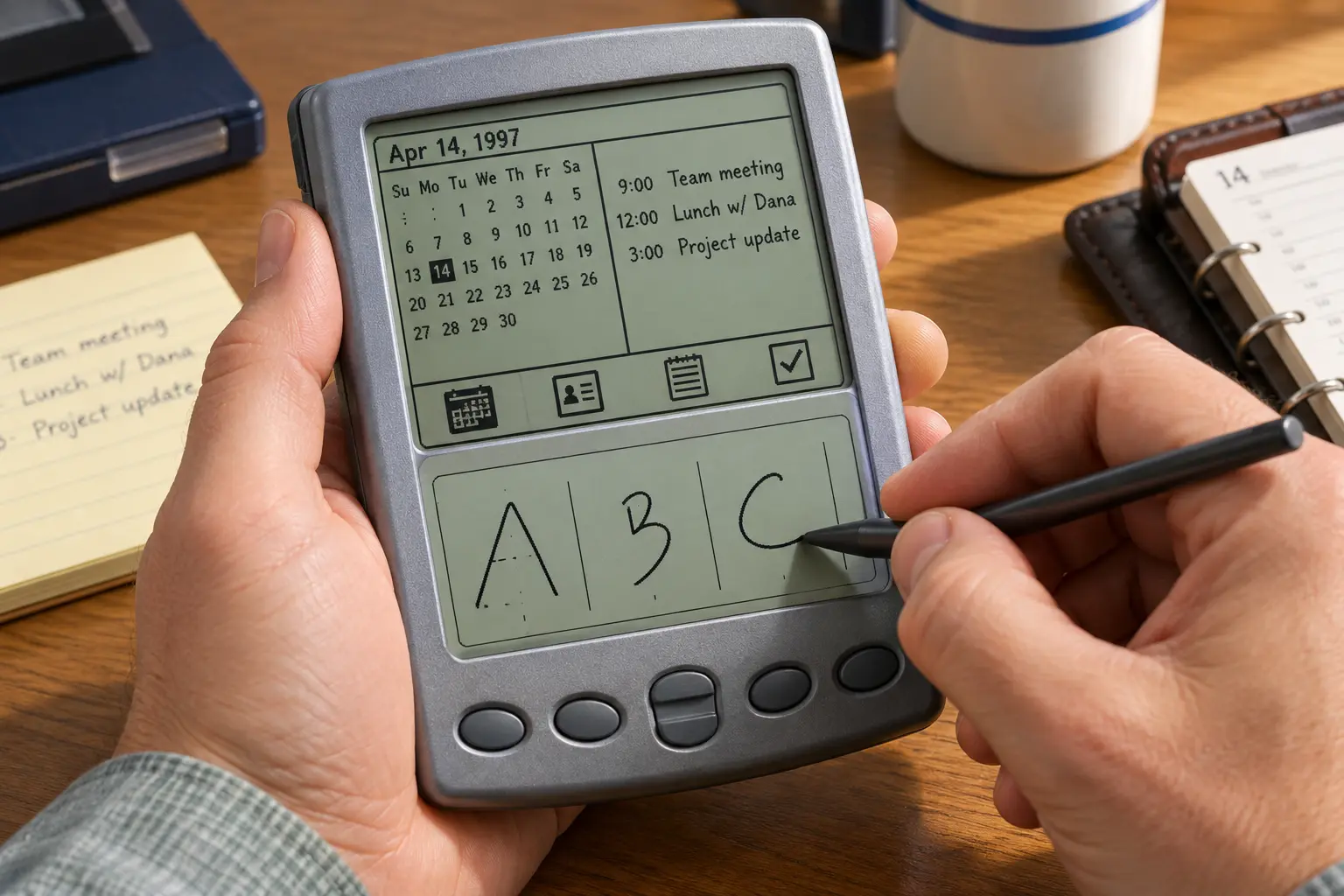
For years, companies had promised that computers would adapt to people. Palm asked people to learn a small alphabet. It was poor for long passages but good enough for a phone number, appointment or brief note. Success also came from speed, pocket size, focused software and reliable synchronisation.
09 / The pen at work
Ticking boxes was more valuable than dictating in ink
Pen computers became rugged devices built for one job.
Couriers collected signatures, engineers ticked inspection points, warehouse workers entered quantities and carers selected readings beside a bed. Screens used large buttons, lists and clearly bounded fields. A stylus was precise and worked on resistive screens or with gloves.
The electronic signature became common too, usually without reading the name at all. The system stored an image or properties of the movement. The pen captured evidence of consent rather than flawless text.
The universal pen computer thus became a family of specialised devices. The dream was a digital sheet of paper that could do anything. The success was a smart form that already knew the possible answers.
10 / Why the promise failed
Natural writing was not a universal interface
The pen survived, but it did not replace the keyboard and mouse.
Handwriting is personal. Shapes, directions, connections and rhythm vary between people and moments.
Corrections are expensive. An error interrupts thought and makes users check everything.
Keyboards stayed faster. Long documents immediately receive exact characters, spaces and punctuation.
Early hardware got in the way. Weight, slow processors, dim screens, battery life and lag made writing less pleasant than paper.
Desktop software did not fit. Adding a stylus did not improve tiny menus and double-clicks.
Paper had hidden advantages. It starts instantly, needs no battery and mixes text, arrows and sketches without modes.
The computer wanted to turn every scribble into correct, structured data. That conflicted with the freedom that makes a paper note useful.
11 / Not entirely a failure
The stylus found work where the line itself mattered
Modern tablets solved many limitations without making the pen the only input method.
Screens are sharp, latency is low and active pens measure pressure and angle. Handwriting can be searched or converted afterwards. A pen excels at notes, equations, diagrams, illustration and photo editing because the shape of the line itself carries meaning.
Digital note-taking also succeeded without perfectly copying paper. Ink can remain ink, be linked to audio, moved around and searched later. It does not have to become neat text immediately.
Meanwhile, fingers took over much of the control. Capacitive screens made tapping, swiping and pinching intuitive. On-screen keyboards handle short text; physical keyboards remain attractive for long text. The pen became a precision and free-form tool, not the mandatory language of the computer.
12 / What remained
The pen stayed; the pen computer disappeared
The technology shaped portable computers, touch interfaces and mobile software. Only the all-encompassing promise remained larger than reality.
- PROMISEWrite as you do on paper
The computer recognises every hand and makes keyboard and mouse unnecessary.
- BREAKTHROUGHThe screen becomes the input surface
From RAND and GRiDPad to PenPoint and Newton, writing became part of the interface.
- BRAKEHandwriting is not a character code
Variation, corrections and limited hardware made free recognition frustrating.
- LEGACYThe pen as an additional tool
Forms, signatures, drawing and note apps give the stylus a lasting role.
The finest irony came from Palm. The most successful early pen computer did not simply understand how people wrote. People learned how the computer wanted to be written to.
13 / Sources & images
Read and explore
- RAND Corporation — history of the RAND Tablet
- Computer History Museum — The Pen is Mightier than the Keyboard?
- Computer History Museum — GRiDPad tablet computer
- GO Corporation — PenPoint Application Writing Guide
- Microsoft — The History of Microsoft: 1992
- Smithsonian — Apple Newton MessagePad H1000
- Computer History Museum — The PalmPilot
Image credits
Opening pen-computer scene — editorial AI illustration, OpenAI, 2026
Recognition error on personal digital assistant — editorial AI illustration, OpenAI, 2026
Simplified stylus writing — editorial AI illustration, OpenAI, 2026