Peripherals 02
Cassette recorders:
when software became sound
To save a program, the home computer borrowed a machine already present in millions of houses. Code became whistles and crackle on magnetic tape—and loading became a small domestic ritual.
01 / A music machine learns code
The cassette recorder entered computing because it was already at home
In the late 1970s and early 1980s, a floppy drive could cost as much as the computer beside it. A cassette recorder was familiar, widely available and used a medium sold in supermarkets, department stores and record shops.
That made tape the democratic storage system of the first home-computer boom. A manufacturer could leave the recorder out of the box and keep the computer's price low. Owners could save the program they had just typed, buy commercial games or copy a friend's tape without investing in specialised equipment. The compromise was time: tape moved in one direction and knew nothing about files until software imposed some order on it.
02 / Bits become tones
The computer did not record numbers; it recorded a performance of numbers
Electrical pulses represented zeroes and ones. An interface turned them into changes a cassette recorder could preserve as sound. On playback, the computer measured those changes and reconstructed bytes.
The 1975 Kansas City meeting tried to establish a common method using audio frequencies, but the market soon filled with incompatible formats. Commodore, Sinclair, Acorn, Atari and others made different choices about tones, pulse lengths, blocks and error checking. The universal cassette was therefore physically universal but digitally tribal: the tape fitted every recorder, while its data usually belonged to one computer family.
03 / Press Play on tape
Loading was an instruction shared between screen, fingers and mechanism
A typical session began by finding the program with the mechanical counter, rewinding, typing a command and pressing Play. The computer then listened while the reels turned.
The sequence made storage visible. The motor clicked, the counter advanced and the tape pack shifted from one reel to the other. Some computers displayed coloured borders or block patterns as they loaded; others offered only silence and a blank screen. Success arrived as a prompt or title image. Failure often waited until the very end.
04 / The Datasette removes the dials
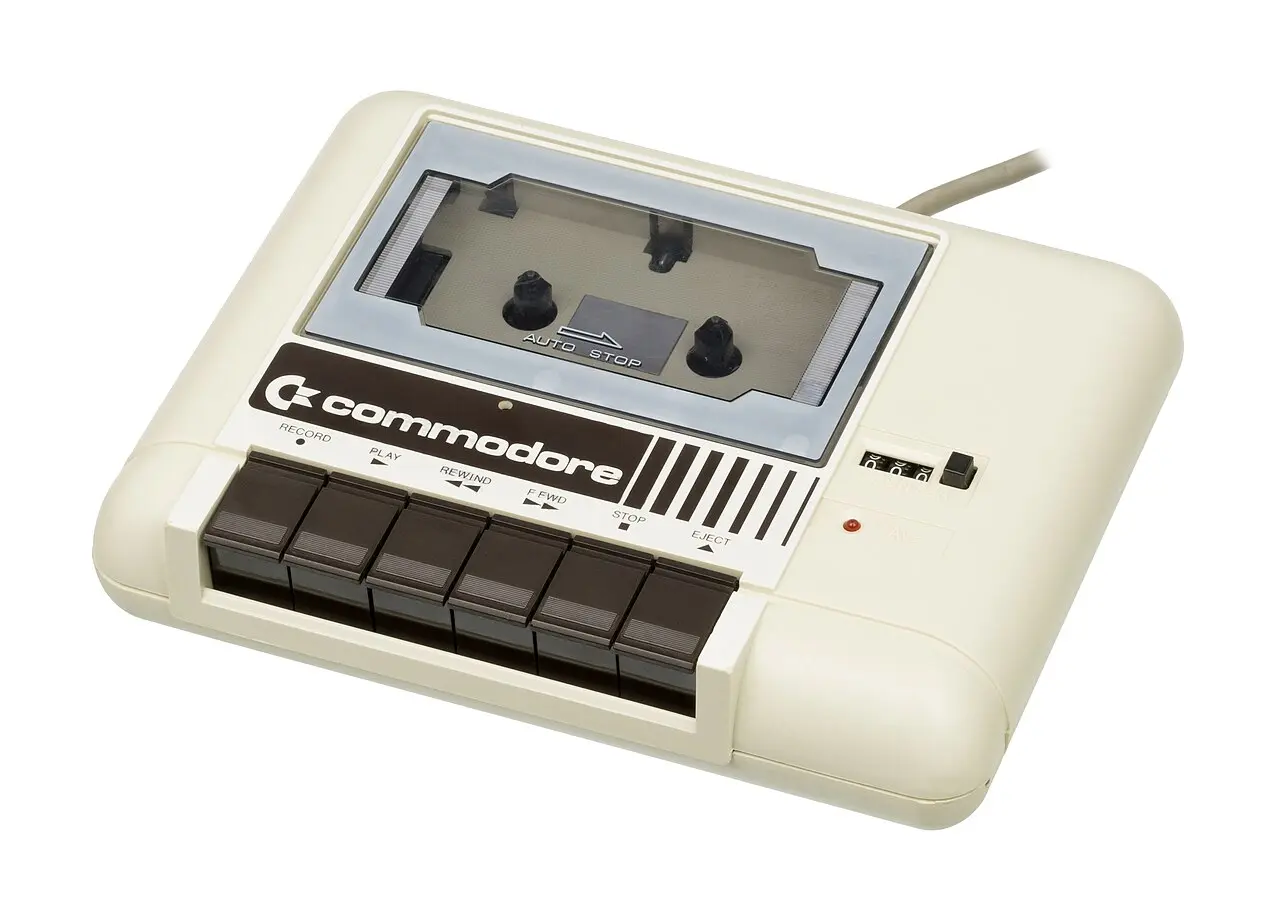
Commodore traded universality for a recorder the computer could control
The C2N and 1530 Datasette looked like cassette recorders, but connected to a dedicated Commodore port. The machine received a cleaner, standardised signal and could sense Play and control the motor.
Owners no longer had to experiment with a volume knob, but they could not use an arbitrary household recorder either. Commodore had turned an improvised accessory into part of its platform. The familiar message PRESS PLAY ON TAPE captured the partnership neatly: software asked, the user pressed and the computer took over.
05 / Waiting becomes part of the game
Slow loading created room for cover art, anticipation—and improvement
Reliable factory routines were conservative. A substantial game could take several minutes to arrive, so the cassette case and instructions began entertaining the player before the software did.
Programmers discovered faster encodings and wrote turbo loaders that understood them. Publishers could place a small loader in the computer's standard format and let that loader fetch the main game at a much higher speed. Loading screens, music and moving borders made the remaining wait feel deliberate. The storage limitation had produced its own miniature genre of presentation.
06 / A chain of fragile tolerances
Every copy depended on tape, heads, speed, alignment and patience agreeing
Magnetic tape wore, stretched and collected dropouts. Recorder heads became dirty. Two machines could run at slightly different speeds, while an incorrectly aligned head—its azimuth—made high-frequency details difficult to read.
Users learned practical diagnostics. Clean the head with alcohol. Try another volume setting. Rewind and start a little earlier. Adjust a tiny screw while watching loading bars. These were not specialist laboratory procedures but household knowledge exchanged in schoolyards, clubs and computer magazines. The cassette made storage affordable partly by making the owner its technician.
07 / Software on both sides
A commercial cassette was packaging, duplication medium and backup plan
Publishers duplicated software onto tape in large runs, printed colourful inlays and often used both sides. The same game might appear twice, or Side B might contain another machine version, extra levels or a second title.
Tape was cheap enough for budget labels and magazine cover cassettes. It also encouraged copying: two domestic recorders could duplicate a signal without understanding the program inside it. Publishers responded with custom loaders and protection schemes, but the medium never lost its ordinary audio identity. Computer software lived in the same stack of plastic cases as mixtapes.
08 / The Netherlands broadcasts a format
Hobbyscoop sent programs through the air to incompatible computers
Dutch radio programme Hobbyscoop helped develop BASICODE: a shared cassette format and restricted BASIC vocabulary designed to cross the borders between home-computer brands.
Listeners connected a radio to a recorder or computer and captured the squealing broadcast. A machine-specific translation program turned the common representation into usable BASIC. The solution did not make the computers truly compatible, but it used the one channel nearly all of them understood: audio. Broadcasting code also changed radio itself for a few minutes—the programme was no longer describing computing but transmitting executable material.
09 / Philips makes tape behave like a drive
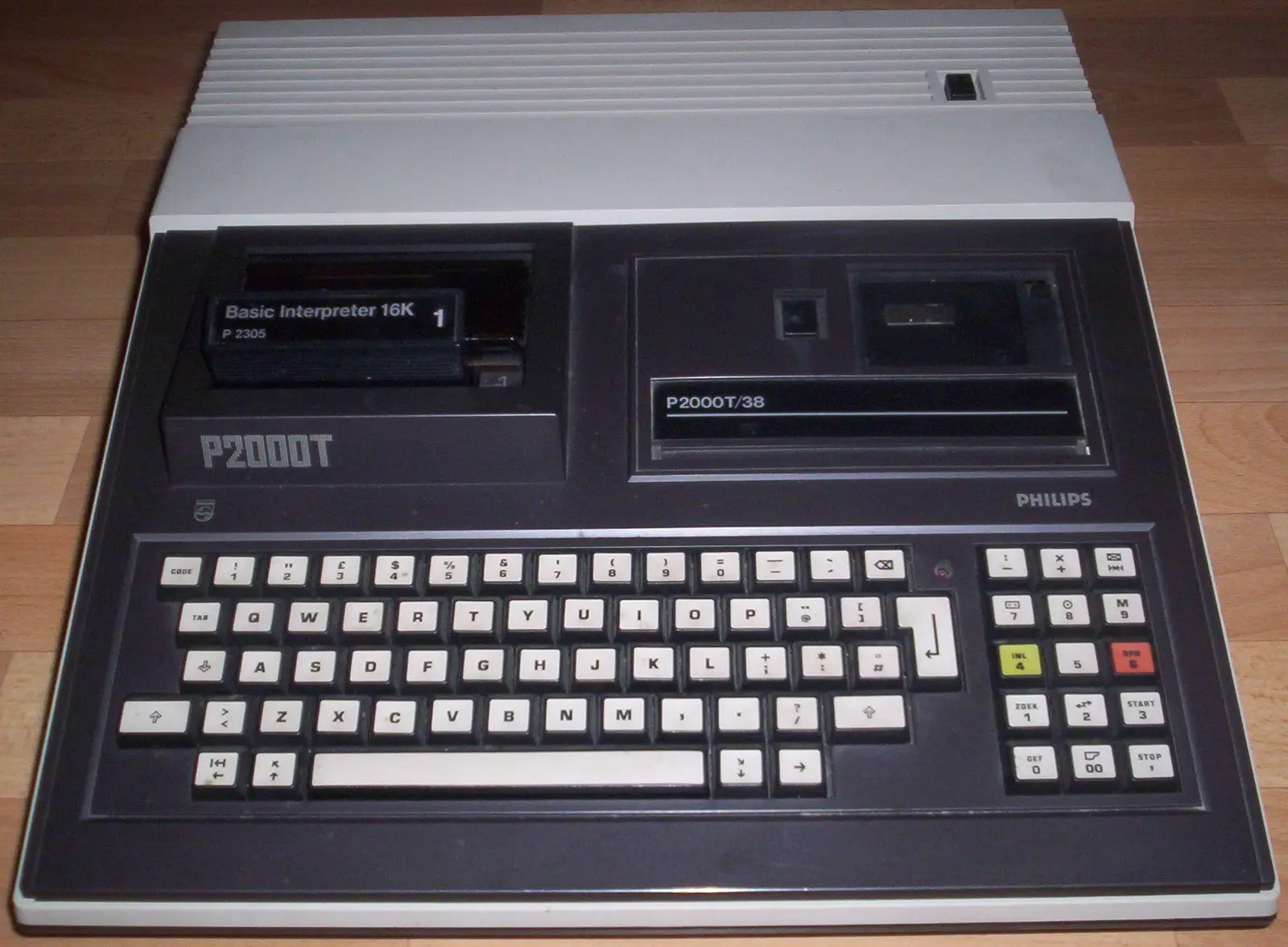
The P2000T automated a ritual other owners performed by hand
Philips built a Mini-Cassette mechanism into the P2000T. The computer could start, stop, rewind and search, while a directory helped locate programs more deliberately.
It was still sequential magnetic tape, but the user experience approached a slow disk drive. The design grew from Philips' experience with dictation equipment and suited a computer presented as a complete domestic appliance. Its strength was integration; its weakness was the uncommon cassette format. The ordinary compact cassette won on availability, while the P2000T showed how much of its awkwardness could be engineered away.
10 / The floppy wins, the sound remains
Disk drives removed the ritual; preservation brought the waveform back
As disk drives became cheaper, their speed and direct access made cassette loading feel increasingly old-fashioned. Later 16-bit systems treated tape as a budget exception rather than the natural first choice.
Today, tape images preserve not only program bytes but sometimes the timing and loading tricks of the original signal. Audio recordings can be cleaned, decoded and transferred to emulators or new hardware. Yet the most characteristic part survives outside the code: that burst of electronic noise which made software briefly audible. Few storage media announced so clearly that information was physically travelling.
11 / Fast-forward
From household audio to software archive
The cassette's computer career was short, but it covered the decisive years in which home computing became a mass activity.
Compact Cassette
Philips introduces the small audio format that will later become inexpensive data storage.
Kansas City meeting
Microcomputer enthusiasts attempt to standardise cassette data tones.
The home-computer trinity
Apple II, Commodore PET and TRS-80 all make inexpensive tape storage relevant.
P2000T automates tape
Philips integrates a searchable Mini-Cassette mechanism.
BASICODE on air
NOS programme Hobbyscoop distributes cross-platform software by radio.
Disks take over
Falling prices and larger software make random-access storage increasingly normal.
12 / Sources & further reading
Explore further
- Commodore — C2N Datasette Unit Operating Instructions
- BYTE — “Audio Cassette Standards Symposium” (1976)
- Hobbyscoop — The History of BASICODE
- University of Amsterdam Computer Museum — The Best of BASICODE
- P2000T Software Preservation — cartridges, cassettes and disks
Image credits
Commodore Datasette — Evan-Amos, public domain; resized and converted to WebP
Philips P2000T — Superandi73, CC BY-SA 3.0 DE; resized and converted to WebP
Cassette, signal, loading and radio diagrams — original editorial design

