Peripherals 04
Monitors and televisions:
the screen that gave the computer a place
A home computer had no natural room of its own. Connected to the family television it entered the living room; paired with a dedicated monitor it acquired a desk, sharper letters and a more serious identity.
01 / Borrowing the family screen
The television made the home computer affordable—and made it a household negotiation
Many home computers arrived without a display. An RF modulator turned their picture into something a television could receive as if it were another channel.
This saved the cost of a monitor and made the first demonstration immediate: connect a cable, tune an unused channel and the BASIC prompt appeared. But the computer now competed with programmes, parents and siblings. A long game occupied the television; programming late at night meant controlling the living room. Buying a second set, often a small portable television, did more than improve convenience. It gave the computer a permanent place.
02 / Tuning into software
RF made a computer universal by disguising it as a weak television station
The modulator combined picture information into a radio-frequency signal. The television's tuner then separated it again, adding opportunities for noise, colour bleeding and drifting adjustment.
Composite video avoided the tuning stage but still mixed brightness, colour and synchronisation in one signal. Separate luma and chroma reduced interference. RGB kept the colour channels apart and could produce crisp edges suitable for detailed graphics and text. Not every computer or television offered every route, so cables, adapters and regional connectors became part of the hobby.
03 / A beam paints the present
A CRT never held a complete picture; it repeatedly drew one before it faded
Inside the deep cabinet, electron guns aimed a beam at phosphor on the back of the glass. Magnetic fields steered it across lines while changing intensity created light and shade.
Television standards divided the image into successive fields, normally using interlacing for broadcast pictures. Home computers often exploited or bent those timings for graphics, while games were designed around the immediate response of the tube. Scanlines, glow and slight colour blending were not filters added to pixels; they were the conditions under which the artwork was created.
04 / Green, amber or white
A monochrome screen could be clearer than colour and more expressive than black and white
Business and educational systems often used one-colour monitors. Without a colour signal to separate, letters could look stable and precise. The phosphor determined whether they glowed green, amber or pale white.
Each colour acquired an identity. Green suggested terminals and laboratories; amber felt warmer and became associated with later office displays. Longer-persistence phosphors reduced flicker but left trails when images moved, a useful compromise for text and a poor one for action. The “colour” of monochrome was therefore a technical choice that became an atmosphere.
05 / The matched system
A dedicated monitor turned separate boxes into one intentional computer
The TRS-80 Model I was commonly presented with a matching black-and-white display. Under the casing was television technology, modified and packaged to look like part of a coordinated system.
The visual match mattered. A keyboard alone could still resemble a toy or unfinished component; keyboard, monitor and drive looked like a workstation. A monitor also removed the tuner and loudspeaker features the computer did not need, while offering controls and inputs chosen for a stable data picture.
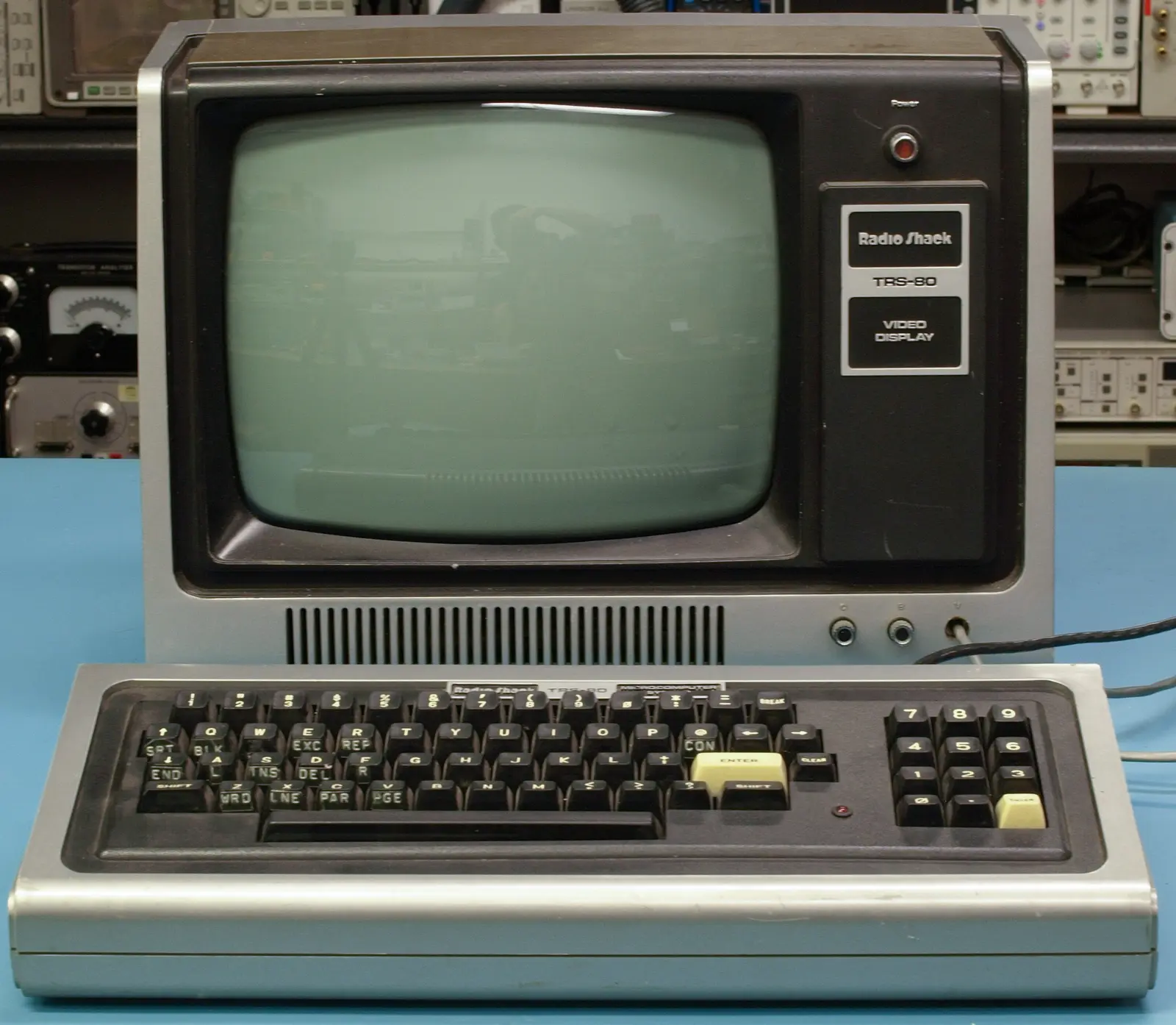
06 / Why eighty columns needed a monitor
The difference between 40 and 80 characters was also the difference between play and paperwork
Forty-column text suited a domestic television: letters remained broad enough to survive a soft signal. Business software, programming listings and word processing benefited from 80 columns, but the characters became half as wide.
A sharper monochrome or RGB monitor made those narrow letters readable. Display choice therefore influenced software choice. The same computer could feel like a game machine on a colour television and an office instrument on a high-resolution monitor. Specifications such as “80 columns” were not meaningful in isolation; they assumed glass and signal quality capable of showing them.
07 / Philips builds with television parts
The P2000T treated the home screen as a teletext page waiting to be filled
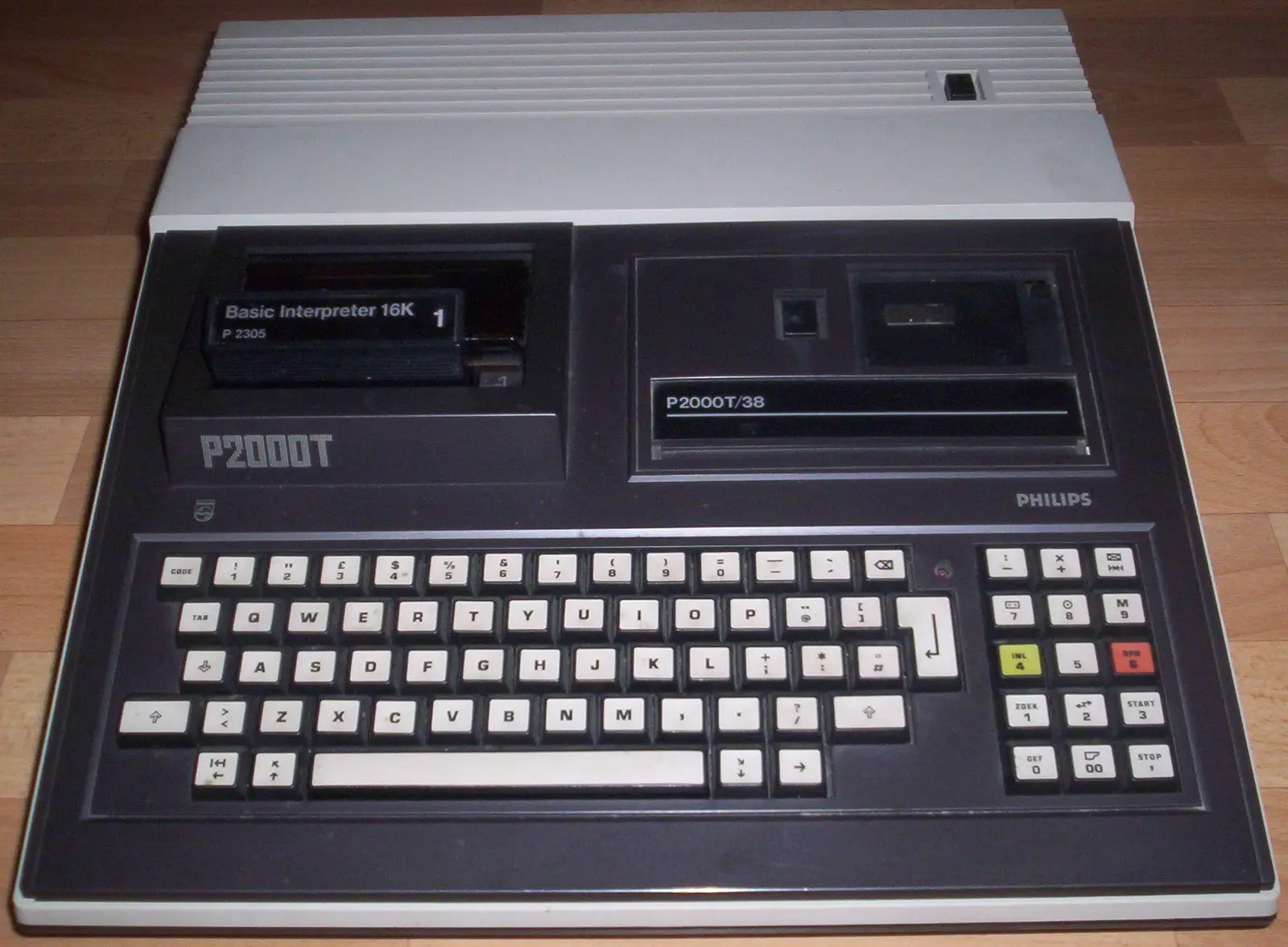
Philips used a teletext display chip in its Dutch P2000T. The machine produced rows of sharply structured characters, colours and block graphics that a television could display reliably.
This was a practical route into home computing for a company steeped in television technology. Text and information pages looked natural, and the P2000T fitted the emerging world of Viditel. The same choice limited free pixel graphics: most images had to be built from character cells. Philips had not simply connected a computer to a television; it had designed the computer around a language the television industry already knew.
08 / The complete machine closes around the screen
An integrated monitor ended the cable question but fixed the viewing experience forever
The Commodore PET enclosed computer, keyboard, cassette drive and monochrome display in one steel body. There was no channel to tune and no doubt where the machine belonged.
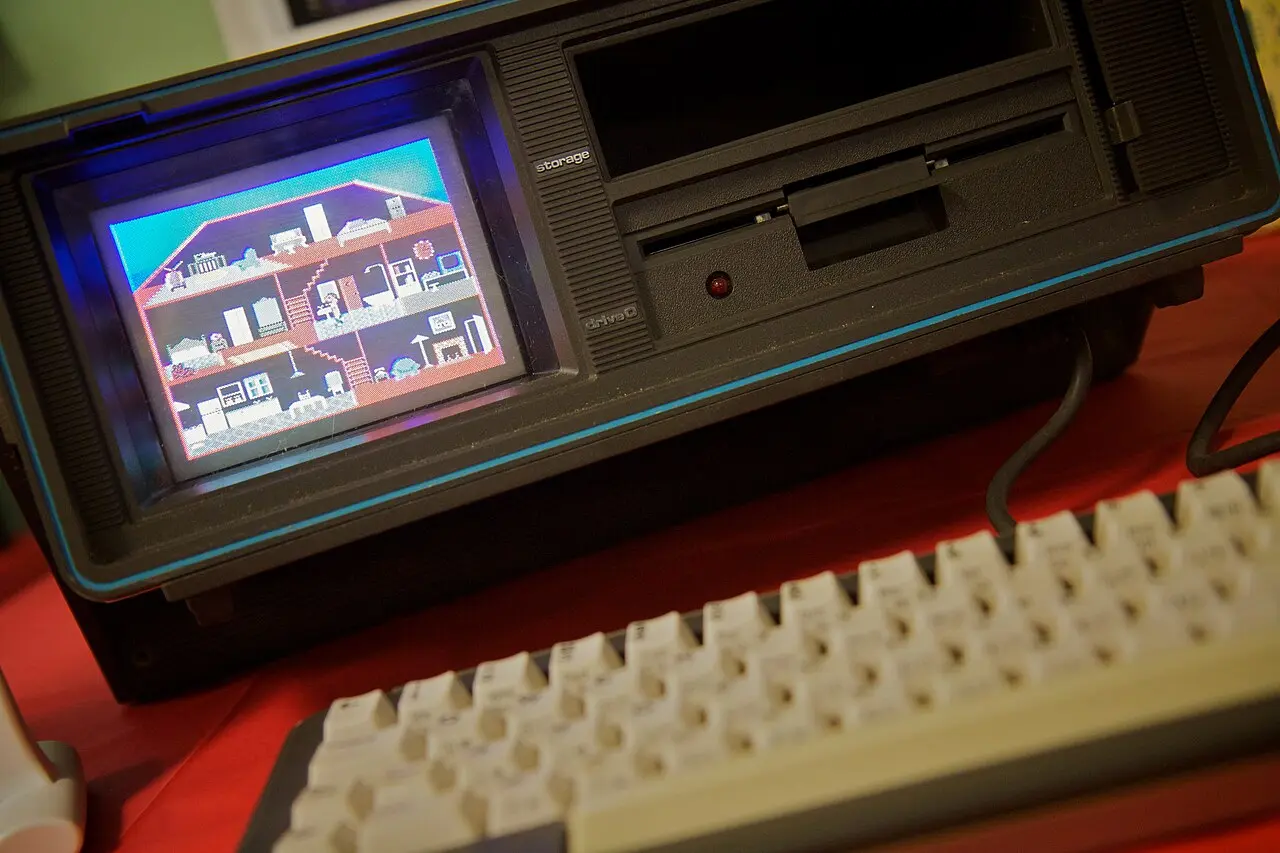
Integration made setup simple and gave schools and offices a robust unit, but the owner could not exchange the screen for a better one. The portable Commodore SX-64 later made the opposite promise with a tiny five-inch colour CRT: a full C64 system that could be carried, provided the user accepted very small text and considerable weight. A built-in screen solved space by setting new limits.
09 / Pictures designed for imperfect pictures
Artists learned that the signal and screen would finish the image for them
Hard pixel edges softened on a CRT. Adjacent colours blended, narrow patterns shimmered and composite encoding sometimes created colours the computer had not generated directly.
Developers used those effects rather than merely enduring them. Dithering patterns became new shades at viewing distance. Sprites gained roundness from bloom and blur. Safe borders kept important information away from television overscan, where the case hid the outer picture. A modern digital capture can therefore look harsher and more blocky than the image its designer saw.
10 / From tube to panel
Flat screens preserve the signal perfectly and can still misrepresent the picture
LCD and OLED displays are lighter, larger and geometrically stable. They expect fixed digital grids, progressive images and modern timings—very different assumptions from those of a PAL or NTSC home computer.
Converters must scale low-resolution signals, handle interlacing and add as little delay as possible. Enthusiasts use scanline filters and CRT shaders not simply for nostalgia, but to restore the blending, glow and geometry around which old graphics were composed. The screen remains part of the computer, even when it is no longer the original one.
11 / The changing window
From borrowed television to recreated tube
Home-computer displays moved from a shared household appliance to a dedicated peripheral and finally to an effect simulated on modern panels.
CRT terminals
Electronic screens begin replacing printed terminal output in specialised computer environments.
Television at home
Mass-market personal computers use both matched monitors and ordinary household sets.
P2000T meets teletext
Philips builds a Dutch home computer around technology from television information pages.
Dedicated colour
Monitors such as Commodore's 1701/1702 offer cleaner computer-oriented inputs.
VGA expectations
Sharper multisync and PC displays make 80-column work and higher resolutions ordinary.
The CRT is modelled
Scalers and shaders recreate qualities once dismissed as imperfections.
12 / Sources & further reading
Explore further
- Commodore monitor manuals — 1701, 1702 and 1084S
- Computer History Museum — TRS-80 Personal Computer
- Centre for Computing History — Philips P2000T
- Smithsonian — Commodore PET 2001
- Computer History Museum — Commodore SX-64
Image credits
TRS-80 Model I System — Dave Jones, CC BY-SA 4.0; resized and converted to WebP
Philips P2000T — Superandi73, CC BY-SA 3.0 DE; resized and converted to WebP
Commodore SX-64 — Marcin Wichary, CC BY 2.0; resized and converted to WebP
CRT, signal and screen diagrams — original editorial design


